
The practical answer
- Short answer
- A 28,000-seat enterprise cutover that started Monday with no crash and no ticket flood. The IAM, shadow-run, and war-room moves that got it there.
- Best fit
- Industry: Enterprise Tech. Function: IT Operations
- Operating path
- Migration & Integration → Turnaround & Restructuring → Transaction Advisory Services
- Key metric
- $14,000 Avg. cost per minute of enterprise downtime
The number that ends careers isn't in the test plan
Picture the Sunday night before go-live for a 28,000-employee enterprise. The data is moved. The dashboards are green. The integration team is exhausted and quietly confident. And none of that matters, because the real exam doesn't start until 8:00 the next morning, when 28,000 people simultaneously try to authenticate against a system most of them have never touched.
That first hour is where enterprise migrations actually pass or fail, and the math is brutal. Large enterprises lose roughly $14,000 per minute during a hard outage (ITIC's 2024 downtime survey). A login system that buckles for forty-five minutes has burned past $600,000 before the executive team has finished its first stand-up — and that's the line-item cost, not the trust cost. It's no surprise that roughly 70% of digital transformations fall short of their original goals.
Here is what I've learned overseeing cutovers at this headcount: at 28,000 seats, the technical migration is no longer the hard part. The scripts work. The data maps. What breaks the Monday is everything the engineering team can't see from inside the codebase — the undocumented workflow that one regional finance team runs out of a shared mailbox, the 4,000 accounts that should have been killed two years ago, the department that never got told their login URL changed. Scale doesn't make the technology harder. It makes the human surface area exponentially larger, and that surface area is where every minute of that $14,000 hides.
We took over a 28,000-user global migration that had been frozen for six months — not by a technical defect, but by political deadlock over who owned the risk. We unblocked it by treating it as a governance and identity problem first, and a data-movement problem second. It went live with zero downtime. Below is exactly how, in the order it mattered.
At 28,000 seats, the code is the easy part. The thing that takes you down at 8:01 Monday is the 4,000 accounts nobody bothered to map and the three workflows finance never wrote down.
Run the new system in the open before you trust it
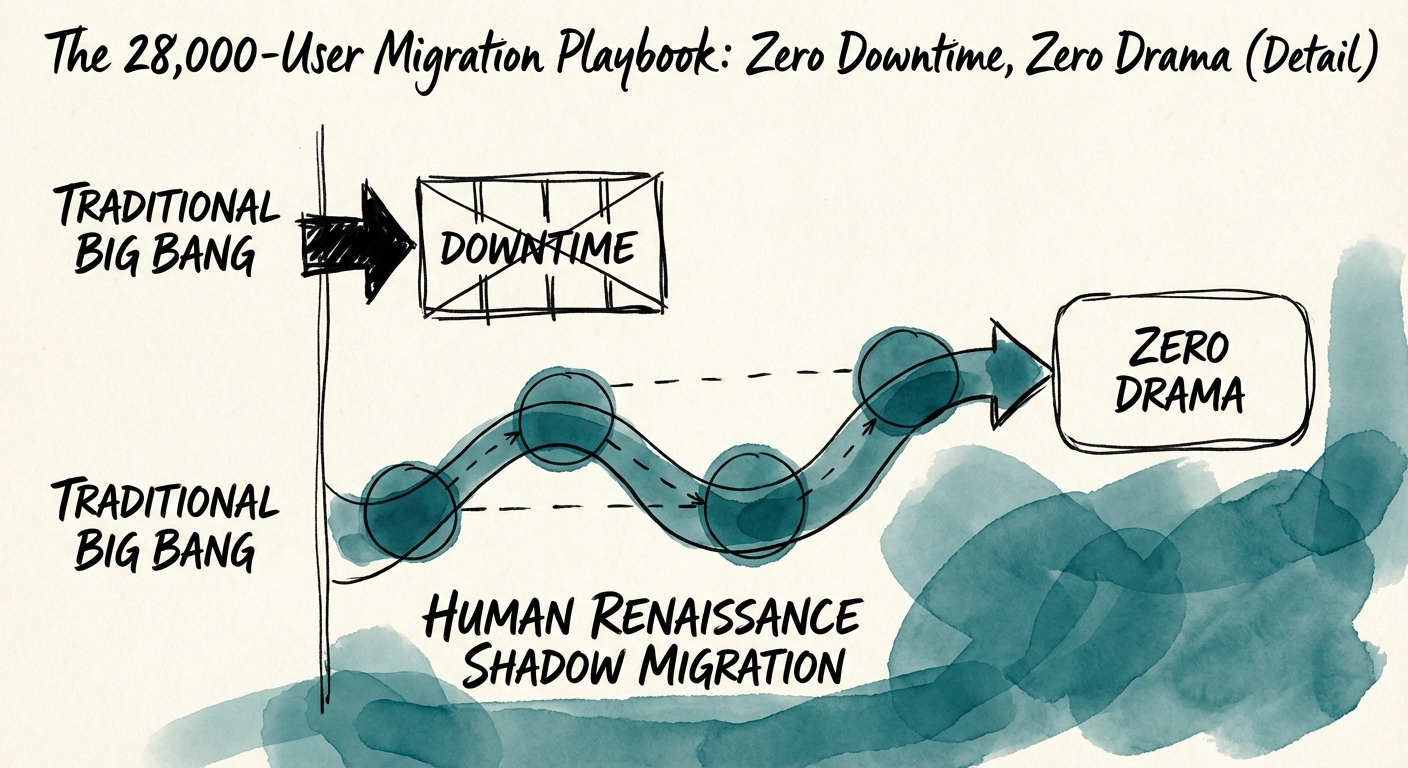
The "Big Bang" — kill the old system Friday, pray the new one holds Monday — assumes you captured 100% of requirements during discovery. In an organization of this size, you did not. You captured the workflows people remembered to mention in a kickoff meeting. The rest live in muscle memory and shared drives.
So instead of a hard cutover, we ran the new environment in parallel with the legacy system for 30 days as a live data mirror — not a staging sandbox, a real shadow of production carrying real records. The point wasn't to test features; it was to surface the workflows nobody documented. During that window we found that about 15% of the user base depended on what I call gray-IT: undocumented processes — an Excel macro pulling from the old database, a script someone wrote in 2019, a report that only renders if you log in a specific way. Every one of those would have shattered on contact with a Big Bang. We caught and remediated them while the legacy system was still carrying the load, so not a single one became a Monday ticket. A parallel run is what lets you do tech stack consolidation without betting the business on your discovery being complete.
Identity is the only feature that matters at 8:01
The single biggest failure point at this scale is identity and access management. If a user can't log in, every feature you migrated is invisible to them. Sixty days out, we ran an IAM hygiene audit that did more than copy accounts across — we mapped every role against actual authentication logs. That exercise turned up roughly 4,000 ghost accounts: people who hadn't logged in for 90+ days, contractors long gone, service accounts no one could explain. We deprecated them before the move. That decision did three things at once — it shrank the attack surface, cut a meaningful chunk of per-seat licensing cost, and, most importantly, removed 4,000 potential authentication failures from the Monday-morning login storm. You cannot debug a login problem for a user who should never have existed.
Budget for the ticket spike or it will budget you
Engineering teams chronically underestimate the human aftershock of a cutover. A migration that's communicated badly can trigger a 250% jump in support tickets in the first 24 hours — and at 28,000 users, a 250% spike is a help desk that simply stops answering. We pre-empted it with a tiered ramp:
- T-minus 14 days: every department head got an Impact Brief spelling out precisely what changed for their team — not a global memo, a targeted one.
- T-minus 3 days: every user received a one-page PDF, not a wiki link — how to log in and how to do their three most critical tasks. People in a panic don't click links; they look at the paper on their desk.
- Day 0: floor walkers, virtual and physical, triaged issues in real time and routed around the ticketing system entirely for the first four hours, so the queue never got a chance to snowball.
Decide in the room, not in a meeting invite
Migration isn't "done" when the data finishes moving. It's done when 28,000 people are working at full velocity and nobody's emailing the CEO. To hold that line, we ran a 48-hour governance lock from the moment of cutover.
The command center was staffed by decision-makers, not just engineers. That distinction is the whole game. When a blocker surfaced, we did not schedule a follow-up — someone with authority made the call on the spot. That alone collapsed our mean time to resolution from hours into minutes, because the lag in enterprise incidents is almost never the fix; it's the wait for someone allowed to approve the fix.
We also wrote the rollback trigger down in advance, in numbers, before anyone was emotional. If critical system availability dropped below 99.9% for more than 30 minutes, or data corruption touched more than 0.1% of records, an automated rollback to legacy would fire — no debate. Counterintuitively, a clearly defined exit is what let the team push forward with confidence instead of hesitating. Fear of an irreversible mistake is what makes people freeze; a known safety net is what lets them move.
The result was silence
Monday morning, 28,000 users logged in. No crash. No flood of angry escalations. Ticket volume stayed within 15% of a normal baseline. At enterprise scale, that quiet is the entire prize — the holy grail of IT operations is a go-live nobody outside the project ever noticed happened.
If your transformation is stuck in committee or sliding past its dates, the fix is almost never another project manager. Start Monday with the cheapest, highest-leverage move on this list: pull 90 days of authentication logs and find out how many of your accounts are ghosts. That single number will tell you how exposed your next cutover really is — and at $14,000 a minute, you want to know before go-live, not at 8:01.