
The practical answer
- Short answer
- Salesforce Classic is now a liability. Learn how to assess the $2M technical debt bomb in portfolio companies still running legacy CRM instances.
- Best fit
- Industry: Private Equity / SaaS. Function: Technology / Operations
- Operating path
- Technical Debt → Turnaround & Restructuring → Transaction Advisory Services
- Key metric
- 25% Average productivity increase for sales teams after a fully adopted Lightning migration.
The 'If It Ain't Broke' Fallacy is Costing You Millions
You’ve just signed the LOI for a $50M B2B services firm. The revenue looks good, the customer concentration is manageable, and the founder swears their operations are "stable." But during technology due diligence, you log into their CRM and see the grey, blocky interface of Salesforce Classic.
The founder shrugs. "Our team is used to it. We didn't want to disrupt them with an upgrade."
Stop. You aren't looking at a "stable" system. You are looking at a distressed asset.
As of January 2026, running Salesforce Classic isn't a preference; it is technical negligence. With the December 31, 2025 deadline for Workflow Rules and Process Builder support now in the rearview mirror, that "stable" system is officially running on unsupportable automation. You haven't just bought a CRM; you've bought a mandatory, high-risk migration project that will distract the sales team for the first two quarters of your hold period.
The 2026 Reality Check
The gap between Classic and Lightning is no longer just about a pretty user interface. It is a chasm of functionality and security:
- Automation Obsolescence: Salesforce officially ended support for Workflow Rules and Process Builder at the end of 2025. If the target company hasn't migrated to Flow, every automated business process (approvals, deal routing, renewals) is now running on deprecated infrastructure.
- The AI Lockout: You cannot deploy modern efficiency tools like Einstein Copilot or Agentforce on Classic. You are paying 2026 license fees for 2015 capabilities.
- Security Vulnerabilities: Classic instances often rely on S-Controls and legacy JavaScript buttons that fail modern security audits and SOC 2 compliance requirements.
We see this constantly in lower-middle market deals. A founder saves $150k by skipping the migration, and the PE firm inherits a $2M productivity drag.
You aren't just buying a CRM; you're buying a decade of undocumented decisions. If they are still on Classic in 2026, you are inheriting a digital museum, not a growth platform.
The Visualforce Iceberg: How to Assess the Damage
The most dangerous lie in CRM due diligence is, "We can just toggle the switch to Lightning later."
You cannot simply "switch on" Lightning for a 10-year-old org. The problem isn't the settings; it's the code. In the mid-2010s, developers built custom functionality using Visualforce. These pages do not render natively in Lightning. They break, they load slowly, or they look so disjointed that user adoption crashes.
The 5-Point Diagnostic Checklist
When assessing a target company's Salesforce instance, do not rely on the CTO's word. Ask for a screen share and check these five indicators:
- The Customization Ratio: Go to Setup > Apex Classes. If you see hundreds of classes but the company is under $50M revenue, they have over-engineered the system. Every line of code is a tax you will pay during migration.
- The JavaScript Button Test: Classic relied heavily on JavaScript buttons for actions like "Create Renewal Opportunity." These do not work in Lightning. Ask to see their Opportunity page. If you see custom buttons, ask, "Have these been converted to Quick Actions?" If the answer is blank stares, mark down $50k in remediation costs immediately.
- The 'Hard-Coded' Urls: Legacy integrations often point to specific server instances (e.g., na14.salesforce.com) rather than generic domains. When you migrate or enable 'My Domain' (required for Lightning), these integrations break.
- The File Storage Trap: Classic used 'Attachments.' Lightning uses 'Files.' Data migration tools often fail to preserve the parent-child relationships here, meaning your sales reps lose access to historical contracts.
- The Process Builder Graveyard: Check Setup > Process Builder. If you see active processes in 2026, you are looking at immediate technical debt. These must be rewritten as Flows.
For a deeper dive into identifying these risks, review our guide on 10 Red Flags in Technology Due Diligence.
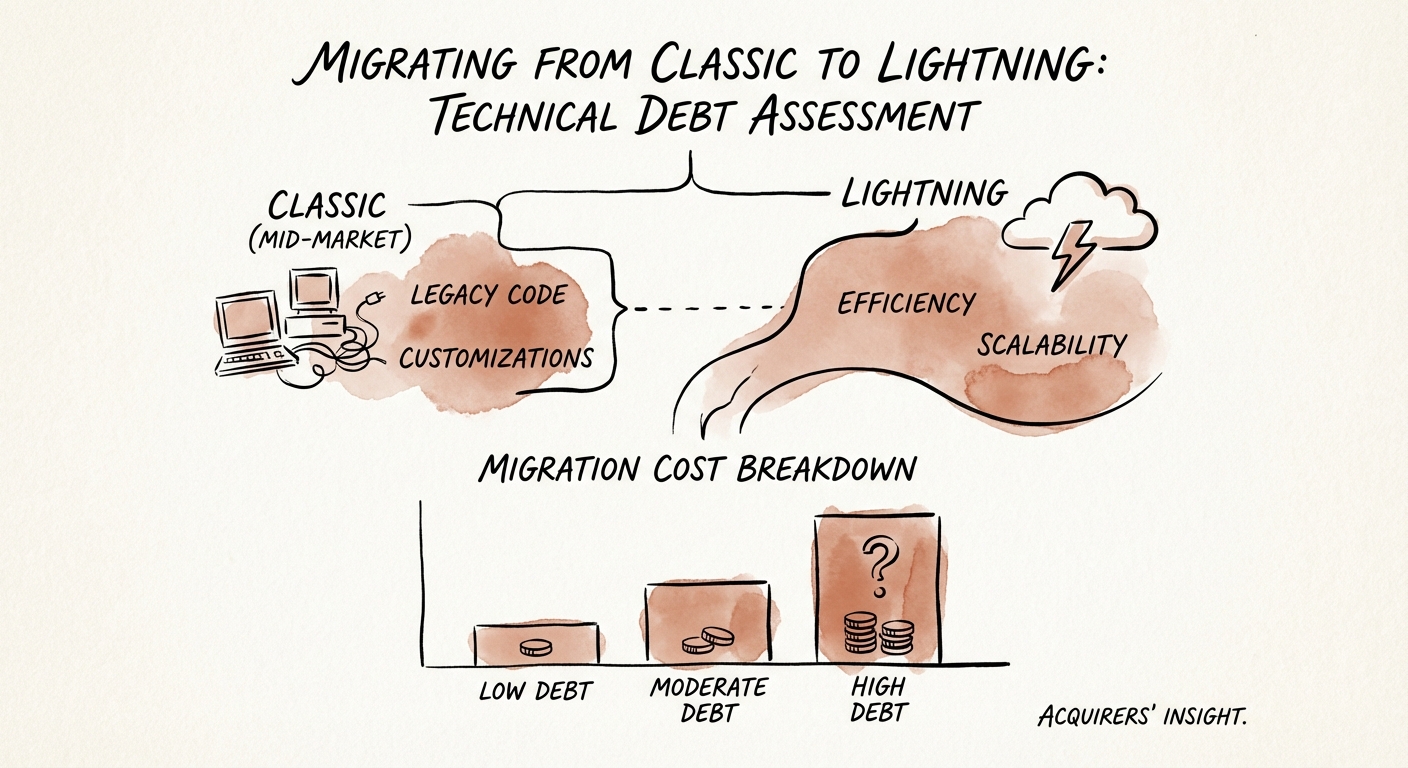
The Remediation Roadmap: Budgeting the Fix
If you proceed with the deal, you must factor the migration cost into your post-close 100-day plan. Do not treat this as an IT ticket. It is a change management overhaul.
Estimated Costs for a Mid-Market Org (50-200 Users)
- Technical Remediation: $75,000 - $150,000. This covers converting Visualforce to Lightning Web Components (LWC) and rewriting automations to Flow.
- Data & File Migration: $20,000 - $40,000. Moving legacy Attachments to Files and cleaning data.
- Change Management & Training: $30,000. If you skip this, your sales team will revolt. Lightning requires a different workflow.
- Total Estimated CapEx: $125,000 - $220,000
This does not include the opportunity cost of your RevOps team focusing on infrastructure instead of pipeline analysis for 4 months.
The "Rip and Replace" Alternative
In extreme cases of customization technical debt, it may be cheaper to implement a fresh Salesforce instance than to migrate the old one. If the "Technical Debt Ratio" (cost to fix vs. cost to build new) exceeds 60%, we recommend a Greenfields implementation. This allows you to adopt standard processes and shed a decade of bad data habits.
The 2026 Imperative
Salesforce Classic is a leading indicator of a company that has stopped innovating. By quantifying this debt during due diligence, you can negotiate the purchase price down—or at least ensure your board presentation accurately reflects the investment needed to restart growth.