
The practical answer
- Short answer
- A technical due diligence framework for assessing Workday integration debt in M&A. Learn how to quantify liabilities, spot 'Studio' red flags, and protect EBITDA.
- Best fit
- Industry: Private Equity / Tech-Enabled Services. Function: Technology / Office of the CFO
- Operating path
- Technical Debt → Turnaround & Restructuring → Transaction Advisory Services
- Key metric
- 150-200% Cost multiplier to remediate a failed ERP implementation vs. the initial budget.
The Trojan Horse in Your Data Room
When you see "Workday" listed in the CIM under the tech stack, your first instinct is to check the box for "Back Office Maturity." It implies the target company has graduated from QuickBooks and Excel chaos into enterprise-grade governance.
Stop right there. In the lower-middle market, a Workday implementation is often a liability masquerading as an asset. I have seen PE operating partners approve deals assuming the back office was scalable, only to discover post-close that they had acquired a fragile web of custom "Studio" integrations that require $500k/year in specialized consulting just to keep the lights on.
Real maturity isn't buying the software; it's how you wire it. If the target company treated Workday like a SQL database—building point-to-point custom code for every vendor connection—they haven't built a platform. They've built technical debt with a premium subscription fee. Research indicates that recovering from a failed or poorly architected ERP implementation costs 150% to 200% of the original budget. You need to know if you're buying a platform or a remediation project before you sign the LOI.
Real maturity isn't buying the software; it's how you wire it. If the target company treated Workday like a SQL database, they haven't built a platform. They've built technical debt with a premium subscription fee.
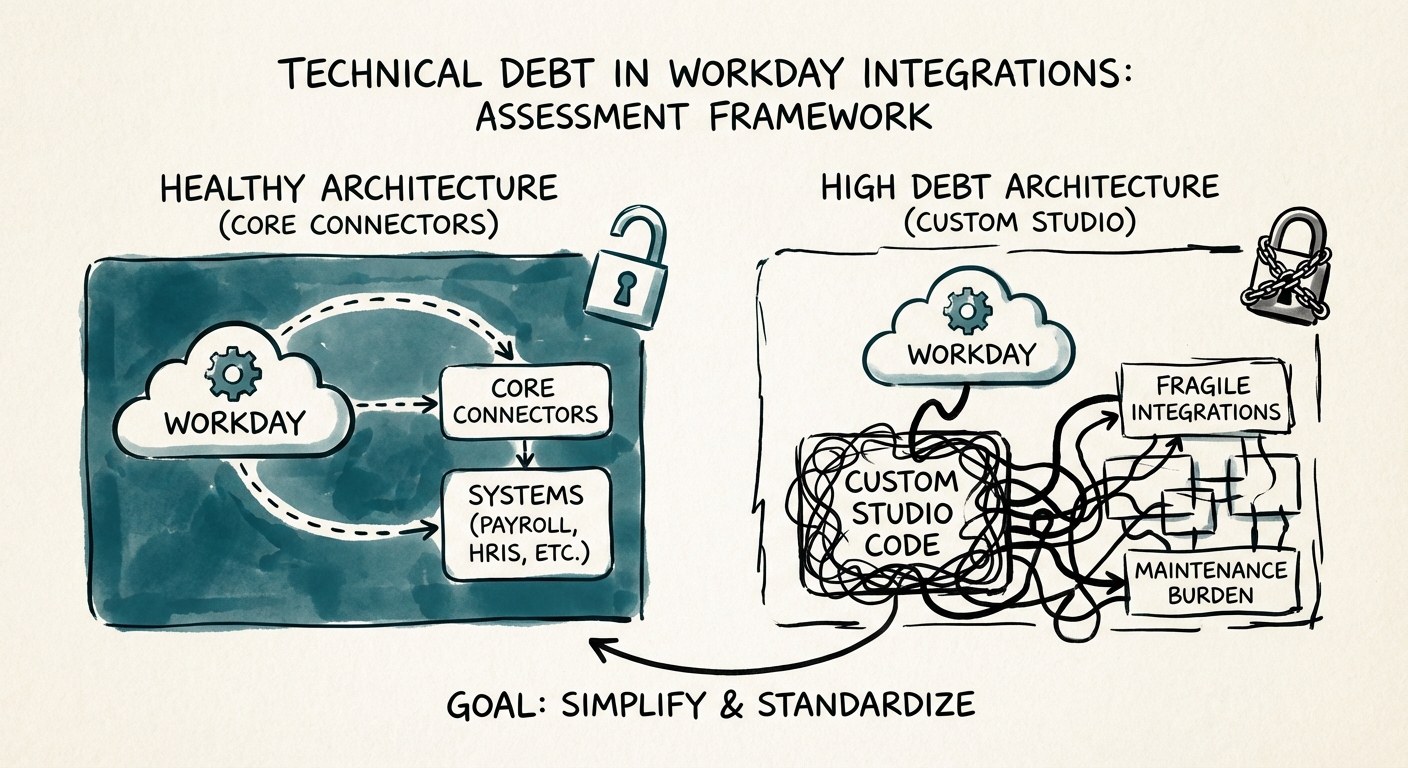
The Assessment Framework: Studio vs. Core Connectors
Your technical due diligence (DD) provider usually looks at product code, not back-office configuration. This is a mistake. You need to specifically audit the Integration Cloud architecture.
1. The "Studio" Ratio
Workday offers three primary ways to integrate: Core Connectors (Configurable, maintained by Workday), EIBs (Simple file uploads), and Workday Studio (Custom Java-based coding). Studio is the danger zone. It allows developers to do anything—which means they usually do terrible things that break twice a year.
The Metric: Ask for a count of integrations by type. If >20% of their integrations are Workday Studio, you have a problem. These are custom software projects that do not auto-update. When Workday pushes their bi-annual releases (March and September), these custom integrations are the ones that fail, causing payroll errors and broken provisioning.
2. The Bi-Annual "Mortality Rate"
Ask the target's CIO: "How many man-hours does your team spend testing and fixing integrations during the R1 and R2 release windows?"
The Benchmark:
- Healthy: <40 hours total. (Mostly automated testing, standard connectors).
- Danger Zone: >200 hours or "we freeze code for a month." This indicates fragility. You are acquiring a company that is paralyzed for two months every year.
3. Vendor Dependency
Does the target maintain these integrations in-house, or are they 100% reliant on a $250/hour boutique consultancy? If they lack internal capability, you aren't just buying the company; you're inheriting a vendor tax that will bleed your M&A integration budget dry.
Valuation Impact: Pricing the Clean-Up
Once you've quantified the debt, you have leverage. This isn't just about "fixing IT"; it's about protecting the multiple. If your 100-day plan involves a bolt-on acquisition, and the platform's HRIS integration takes six months to stabilize because of custom code, you have missed your synergy targets.
The Play:
If the assessment reveals high Studio dependency and high "Update Mortality," you treat the remediation cost as a debt-like item. Calculate the cost to replace the custom spaghetti with standard Core Connectors (typically $8k - $15k per connector). If they have 20 bad integrations, that's a $200k - $300k immediate expense plus the operational risk.
Don't let the CIM fool you. Technical debt estimates are often 3x too low because they ignore these back-office systems. Use this framework to re-trade or structure a specific escrow for the remediation. You want to pay for a scalable platform, not a science project.