Watch what a collector actually does for twenty minutes
Say a 60-person B2B services firm has one AR collector chasing 300 open invoices. Watch her work a single past-due account and time it. Roughly ninety seconds of that is writing the email. The other eighteen minutes are spent reconstructing the situation: pulling up the invoice in the ERP, checking whether the customer already paid part of it, scrolling the account owner's last three emails in the CRM to see if a credit was promised, hunting for the signed change order that explains why the amount looks wrong, and confirming the AP contact didn't leave the company in March.
That ratio is the whole story. When people say AI will fix collections, they usually mean it'll write nicer reminders. But the reminders were never the bottleneck. The bottleneck is that days-sales-outstanding creeps up because every difficult invoice requires a manual archaeology dig before anyone can say a word to the customer. The Hackett Group's working-capital research has shown for years that the cash improvement sits in the process, not the prose — and PwC's working-capital work makes the same point about how much trapped cash hides in operational friction rather than payment terms (Hackett, PwC).
So the real question isn't "is ChatGPT useful?" It plainly is. It's whether the eighteen-minute archaeology dig is the part you're trying to kill — and a chat window does nothing for that part, because it has no idea what your ERP says.
The line: who is allowed to know the facts
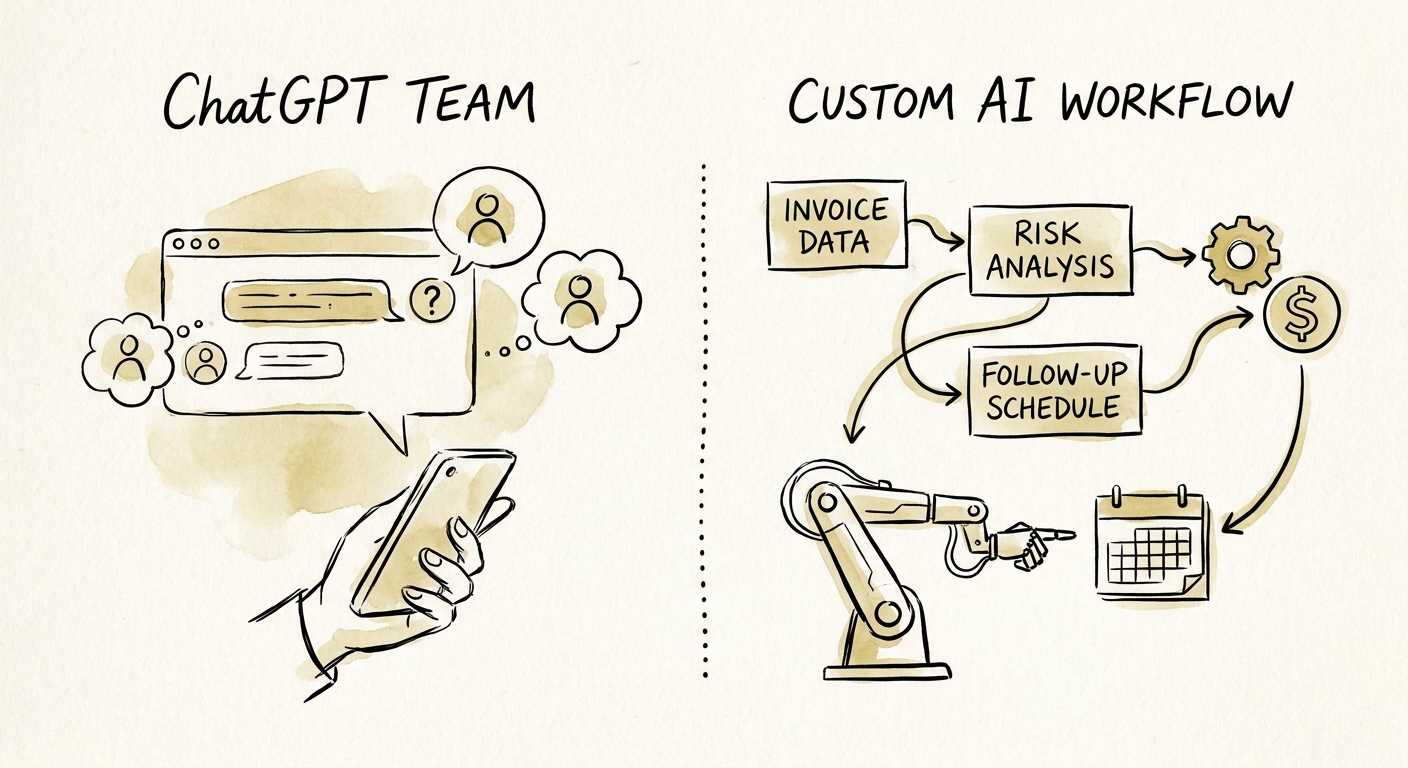
Here's the cleanest way to draw the boundary. ChatGPT Team is the right tool when the human has already done the archaeology and just wants the writing to be better — a sharper dunning sequence, a script for the awkward "you're 75 days past on a $40K invoice" phone call, a softer second-notice template that doesn't torch the relationship with a client your delivery team still needs. Low volume, facts already in hand, nothing sensitive going into the prompt box. That's a legitimate use, and for a lot of small AR functions it's genuinely all they need.
It becomes the wrong tool the moment your collector is pasting customer payment history, invoice-level detail, or contract terms into a public chat window to get a "smarter" draft. Now you've created a data-exposure problem and you still haven't touched the eighteen minutes. Gartner's finance-AI guidance keeps landing on the same caution: keep the system of record in charge of the record, and don't let a generative model become the place facts live (Gartner).
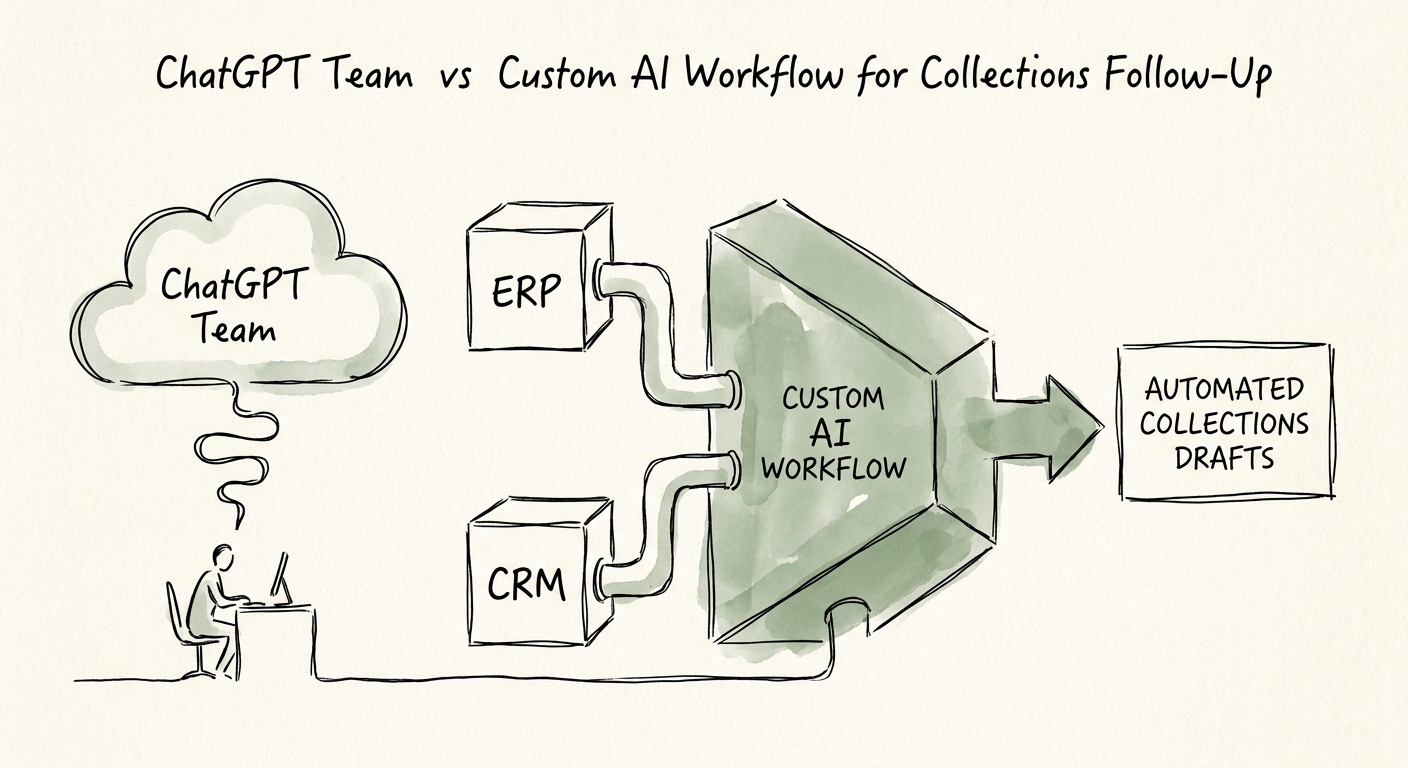
A custom workflow inverts the labor. It triggers off an aging threshold — say, an invoice crossing 45 days — and assembles the context before a person is even involved: the ERP supplies amount, age, and partial-payment status; the CRM supplies the account owner and the last touch; the document store supplies the matching PO or change order; dispute flags get surfaced, not buried. The model's job shrinks to summarizing what was gathered and drafting one message inside a tight instruction set. The collector opens a case that's already 90% researched, checks the facts, and hits send. McKinsey's work on generative AI in finance describes exactly this split — narrow, supervised drafting on top of deterministic data plumbing, not a chatbot improvising about money (McKinsey).
What to do Monday, and the line you never cross
Start by counting, not buying. For one week, have your collector log two numbers per past-due account: minutes spent gathering context, and minutes spent writing. If the writing number is already small — and for most teams it is — a ChatGPT Team license will make a 90-second task into a 60-second task and leave your DSO exactly where it is. That's the test that tells you which path you're actually on, and it costs you nothing but a spreadsheet column. Forrester's B2B payments coverage is worth a skim here for how much of the delay is structural rather than behavioral (Forrester).
If the context number dwarfs the writing number, you have a data-orchestration problem, and the build is worth scoping. But hold one rule no matter which way you go: the model never sends a collections email on its own, and it never invents a fact. It does not promise a credit, waive a late fee, or explain a dispute from partial data. It assembles, drafts, flags what's missing, and routes to a human. The payoff of building it right isn't just faster follow-up — it's the audit trail. You can finally see which invoices were queued, what sources fed each draft, who approved it, and which cases got held for review. That visibility is what lets a finance leader manage the function instead of just reacting to the aging report.
To put a number on whether the build pays for itself, run your context-versus-writing minutes through the AI ROI Calculator against follow-up cycle time and blocked-invoice volume. To scope the actual integration — or to pressure-test whether your ERP, CRM, and document systems are clean enough to feed it — start with AI Workflow Automation or a QuickStart AI Audit.