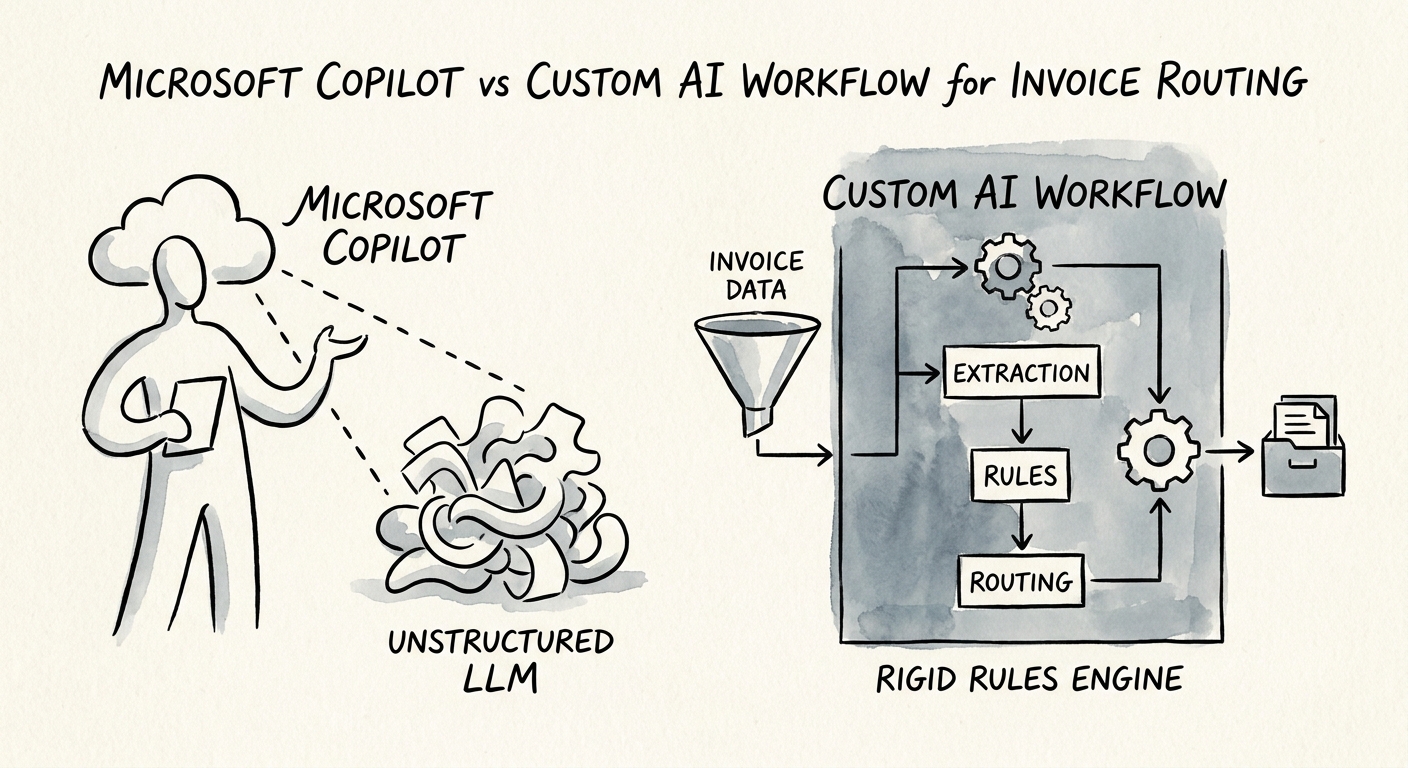
Ask Copilot "should this $14,000 invoice get paid?" and watch what happens
You already have Microsoft 365 Copilot, so the temptation is obvious: point it at the AP inbox and let it run invoice routing. Try it on a single real invoice — a $14,000 non-PO bill from a vendor whose name is one character off the one in your master file. Copilot will do something genuinely useful. It will pull the PDF, summarize the line items, surface the prior email thread, and draft a clean note to the approver. What it will not do is notice that the bank details changed since the last payment, that this is the second invoice this month with the same reference number, or that the dollar amount crosses the threshold where your controller — not the department manager — has to sign.
That gap is the whole decision. Copilot is built to help a person who already has permission to see the documents investigate faster inside the M365 content they can already access. Invoice routing isn't an investigation problem. It's a control problem dressed up as a document problem. The OECD's research on SME AI adoption keeps landing on the same point: value shows up when you scope to one concrete use case with clear readiness, not when you bolt a general assistant onto a regulated process. So before you choose anything, pick one invoice class — recurring PO-backed vendors, or high-exception non-PO spend, not both — and write down the rules a human follows today. Those rules are what you're actually deciding whether to automate.
Copilot reads the invoice. A custom workflow earns the right to move it.
Here's the clean split for a 50-300 person finance team, because the two tools fail in opposite directions. Copilot is the right answer when your AP clerk's bottleneck is context — they're spending forty minutes per exception digging through SharePoint, Outlook, and a Teams thread to figure out what a weird invoice even is. Copilot collapses that to two minutes, drafts the vendor chase email, and the human still pushes the approve button. Microsoft's privacy and data-protection model and its grounding architecture mean it stays inside the permissions the reviewer already holds — which is exactly why it's safe for reading and exactly why it can't be trusted to act.
You need the custom workflow the moment the requirement is action under rules: match the invoice to the right vendor and PO, suggest a GL code, block it when the same amount-and-vendor pair already cleared, hold anything over the approver threshold for the correct signer, log every exception, and write the result back into your ERP. A general chat assistant has no concept of your three-way match or your segregation-of-duties matrix; a purpose-built workflow encodes them as hard gates. That's why the NIST AI Risk Management Framework belongs in the build spec — it forces you to define who the AI may act on behalf of and what gets monitored. And CISA's AI data-security guidance isn't optional here: invoice routing touches vendor bank details, payment data, and purchasing history — the exact targets of business-email-compromise fraud. The boundary, stated plainly: anything that helps a person understand an invoice can live in Copilot today; anything that lets the system route or release one needs the governed path.
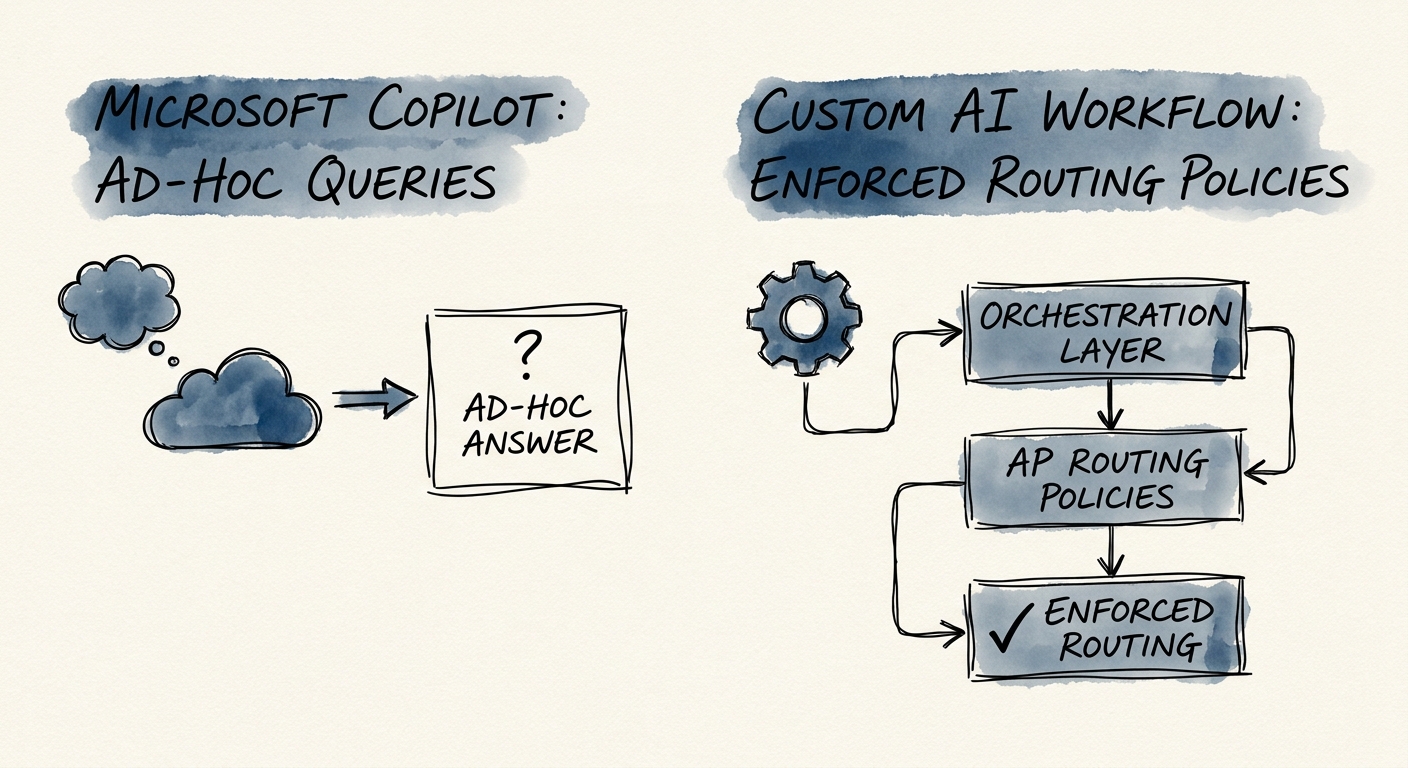
The pilot that actually tells you the truth: 200 invoices, shadow mode
Don't measure this with a "look, it automated something" demo. Run the custom workflow in shadow mode on your last 200 routed invoices and compare its proposed routing, coding, and threshold calls against what your team actually did. Deloitte's 2026 State of AI research keeps reinforcing that the gap between pilots and value is whether the thing survives production — and in AP, production means the controls held when no one was watching the demo. The numbers that matter are unglamorous: touchless routing rate (what share cleared with zero human touch), exception accuracy (did it stop the duplicate, the bank-change, the over-threshold bill), coding-correction rate, approval-cycle time, and whether the audit trail would survive your year-end review. The broader middle-market AI adoption picture and the San Francisco Fed's read on smaller firms both point the same way: the companies that win start narrow and prove control, not coverage.
So the Monday move is concrete. If your shadow run shows the assistant's real value is faster context and your team is comfortable approving the calls themselves, you're done — Copilot is enough, and you've saved yourself a build. If it shows you need duplicate-blocking, threshold enforcement, GL suggestions, and ERP write-back to get real touchless volume, you've just written the requirements doc for the custom workflow — and you know exactly which invoice class to start with. Either way you've replaced a vendor opinion with evidence from your own invoices. If you want a sequenced plan to get from shadow mode to governed automation, that's what a structured AI roadmap is for.
