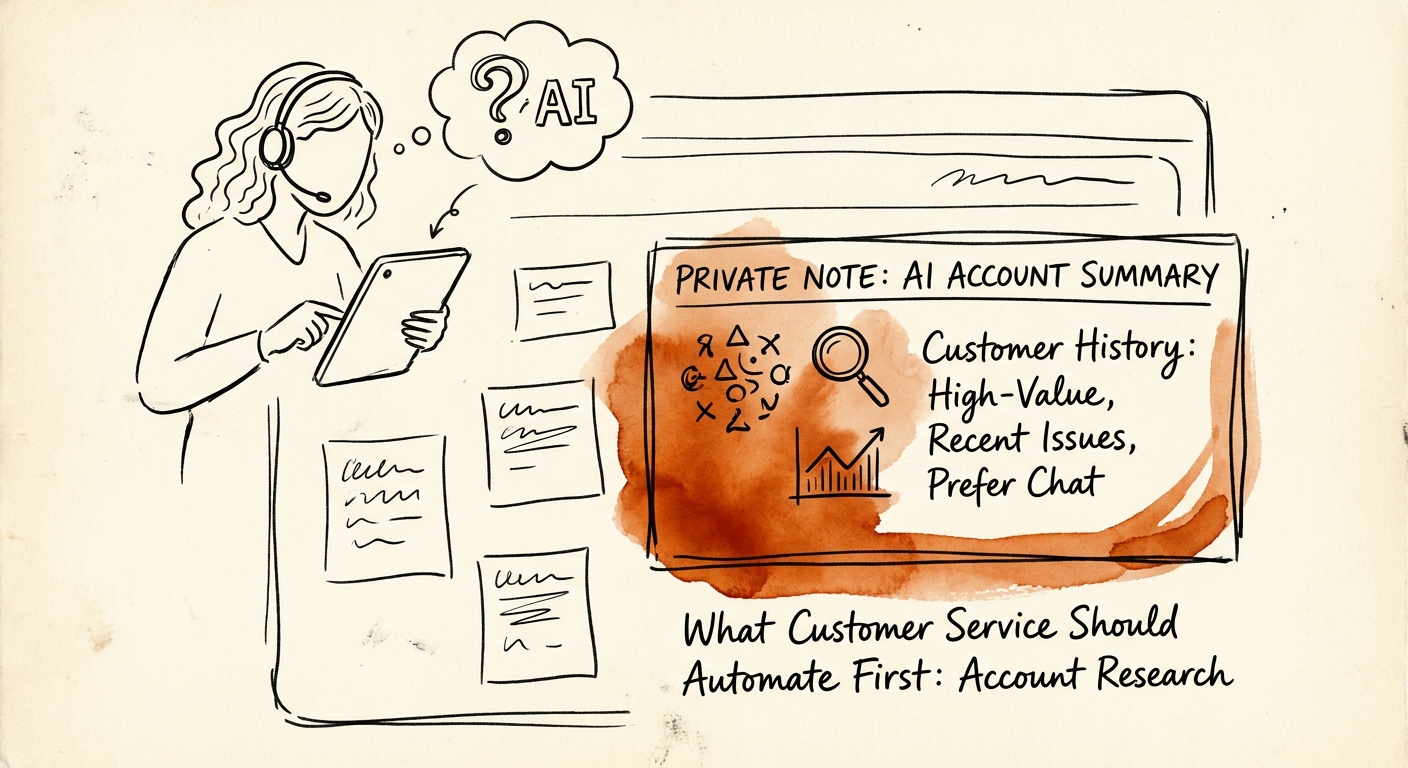
The eight tabs before the reply
Picture a customer success rep at a 60-person SaaS company. A ticket lands: "Why did our seat count change and why are we being billed for it?" Before that rep types a single word, they open the CRM, the billing system, last quarter's QBR notes, the support history, the Slack channel where the account exec mentioned a renewal conversation, and the product-usage dashboard. Fifteen minutes vanish into reconstruction. The actual answer takes ninety seconds.
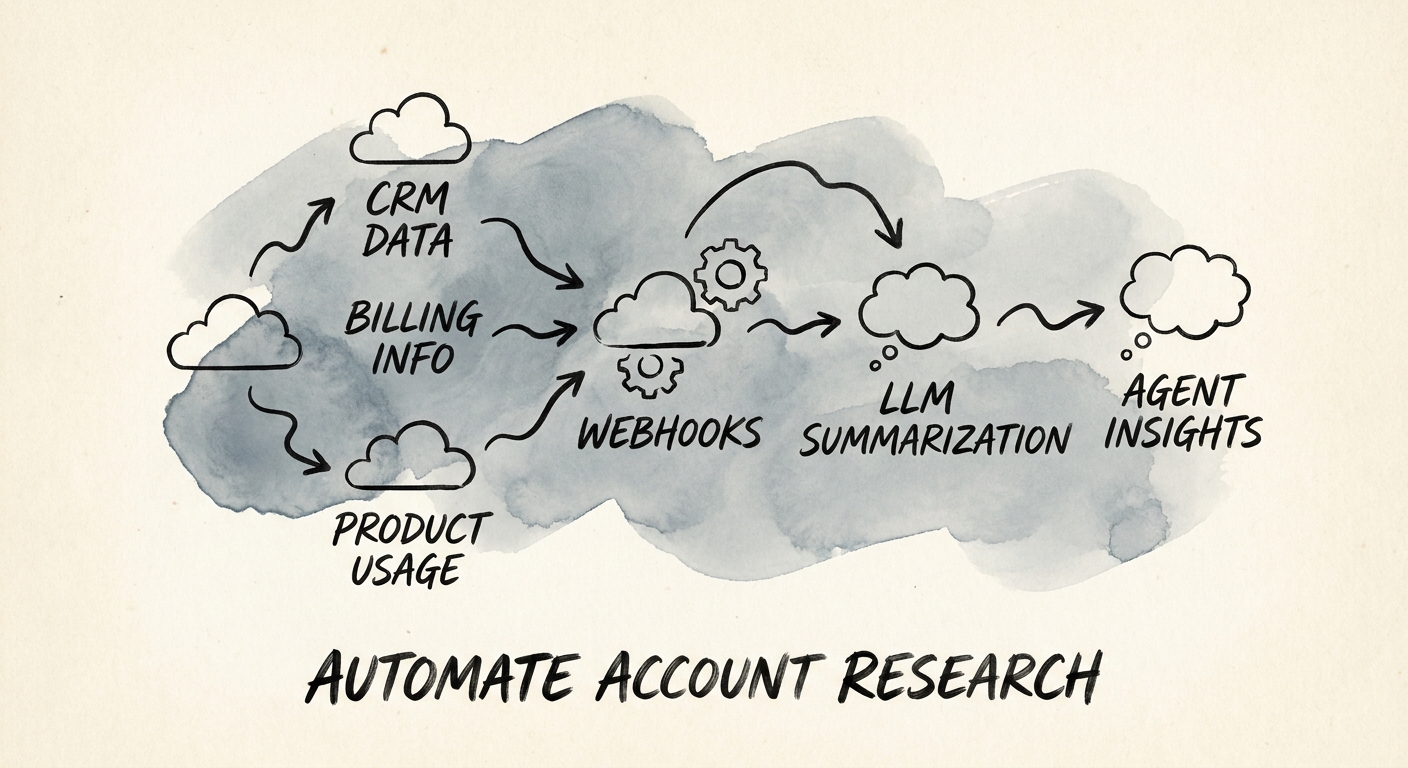
That gap is the first thing a B2B service team should hand to AI — not the reply, the research. The most valuable first use case is an assembled account brief: support history, account notes, product usage, contract terms, and open handoffs, pulled into one reviewed view before a human responds. The Salesforce State of Service report and the Salesforce State of Sales report both keep landing on the same point: in B2B, context is the work. The seat-change ticket isn't a support question, it's a contract-and-usage question wearing a support ticket's clothes — and the rep who answers it without the renewal context creates a churn risk, not a resolution.
Here's the discipline that separates this from a chatbot project: the output is a brief the rep reads, never a message the system sends. Five context fields — account, product, ticket, contract, owner — assembled and surfaced. Speed on the reading. Judgment stays on the writing.
Why this is the safe place to start (and where it gets dangerous)
Account research is the rare AI workflow where the failure mode is visible to the person it would embarrass. If the brief is wrong, the rep catches it before responding, because they were going to verify the contract terms anyway. Compare that to a customer-facing bot that confidently quotes the wrong renewal date to the customer directly. Same underlying model, wildly different blast radius. That's the whole argument for starting here.
But "safe" is conditional on permissions. In B2B service, account research touches contract language, pricing, and cross-team handoffs — exactly the data you cannot let leak across accounts or up to reps who shouldn't see a master services agreement's confidential terms. The Microsoft 365 Copilot architecture and data protection documentation is worth reading specifically for how it ties retrieval to identity and audit: the assistant should pull only what this rep is cleared to use, and every fact in the brief should carry a source link back to the record it came from. No source link, no claim — that one rule kills most of the trust problem.
Map the boundary before you turn it on. The NIST AI Risk Management Framework gives you the structure: enumerate which data classes the brief is allowed to touch (support history, usage telemetry) and which need gating (contract financials, legal terms). Then make the system flag uncertainty out loud — "renewal date not found in available records" beats a clean-looking guess that sends a rep into a renewal conversation armed with a fiction.
What "working" looks like on a Tuesday
Don't measure this by how fast reps reply. A faster path to an incomplete answer is a downgrade. Measure three things together: prep time per ticket (the fifteen minutes should drop), first-response accuracy (did the brief contain the contract fact the rep needed, with a verifiable source?), and unnecessary escalations (did fewer tickets bounce to the account exec just to ask "what's the deal with this account?"). If prep time falls but escalations don't, your brief is fast and shallow — usually because it's missing the open-handoff field, which is the one that prevents a service rep from contradicting a live sales conversation.
A practical Monday move: pick your ten highest-friction account types — usually the multi-product, mid-contract, recently-renewed ones — and have the brief assembled for only those. Watch whether reps stop opening the billing tab. When they do, you've found the workflow's real value.
Use the AI Opportunity Score to weigh account research against ticket triage, knowledge-base search, and escalation routing so you start with the one your team will actually feel. When the brief needs to stitch together service, sales, and product systems that don't currently talk, the AI Transformation Blueprint is where that integration gets designed.