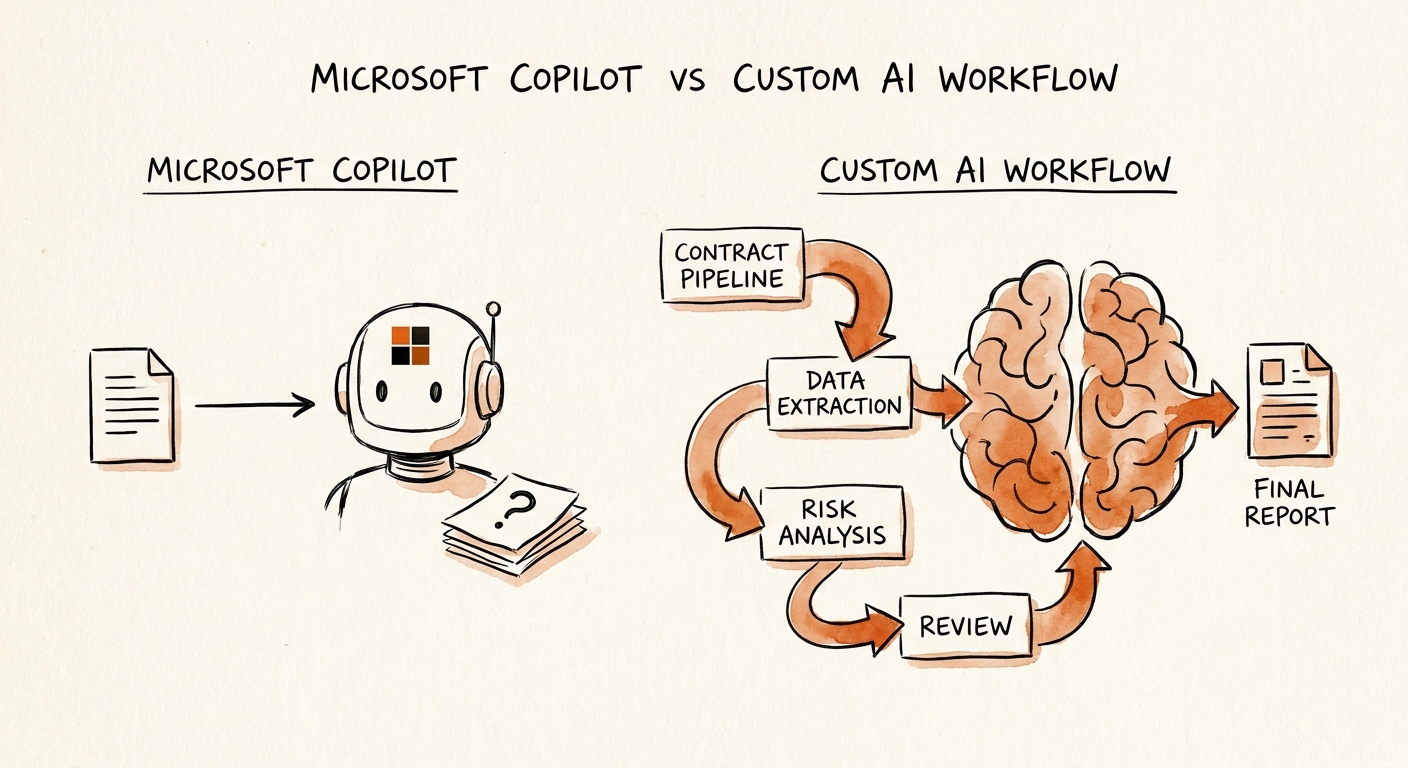
The summary is fast. The judgment is the job.
Open a 14-page MSA in Word, ask Copilot to summarize the key terms, and you'll have a clean bullet list before your coffee is cold: payment terms, liability cap, termination window, the auto-renewal clause buried on page 9. That's genuinely useful, and if your contract problem is "I spend twenty minutes finding the renewal date," Copilot solves it today.
But that's not the part that bites a growing company. The part that bites is the moment your ops lead looks at the vendor's proposed indemnification language and has to answer: is this one we accept, or does it have to go to outside counsel? Copilot can tell you what the clause says. It cannot tell you whether that clause is on your approved list, whether this counterparty already got a concession on it last quarter, or whether a deal of this size triggers a second signature. That knowledge doesn't live in the document. It lives in your playbook, your prior deals, and a few people's heads.
That's the line worth drawing before you pick a tool. The RSM middle-market AI survey and the OECD report on AI adoption by small and medium-sized enterprises both show plenty of companies adopting document assistants and far fewer wiring them into a decision they can stand behind. The San Francisco Fed's small-business AI analysis tells the same story from the small end: the gap is rarely the model's reading ability — it's whether the company decided, in advance, what a "ready for signature" contract actually requires.
Three questions decide it — and none of them are about the AI
Before you compare products, answer these three for your own contract intake. Say you're a 60-person company closing a dozen vendor and customer agreements a month.
One: where does "approved" live? If your standard positions are a tidy fallback table — preferred liability cap, acceptable payment terms, the three indemnity variants legal will sign off on without a call — then a tool needs to check the redline against that table. Copilot doesn't have your fallback table. It has the open document and whatever's in your Microsoft 365 tenant. A custom workflow can hold the approved clause library as the source of truth and flag any term that falls outside it.
Two: who has to see it, and when? A $20K SaaS renewal and a $400K master agreement should not follow the same path. If review routing depends on deal size, clause type, or counterparty, that's a rule the workflow enforces — not something you trust a reviewer to remember at 6pm on a Friday. The NIST AI Risk Management Framework is the right lens here: define who is accountable for each decision and what "acceptable risk" means for a contract before the model touches it.
Three: what's the proof you reviewed it? When a deal goes sideways eighteen months later, "Copilot summarized it and we signed" is not a defensible answer. You want a record: which clause source was checked, which terms fell outside policy, who approved the exception, and the final redline rationale. How that record gets built — what's logged, what's retained, what's deliberately kept out of the model — is exactly what the CISA AI Data Security Best Practices push you to design on purpose. Microsoft 365 Copilot's privacy and data controls govern what Copilot can see inside your tenant, which is the right question for document assist — but it's a different question from "did the right person approve this exception."
If all three answers are loose — no fallback table, ad-hoc routing, no audit need — Copilot inside Word is plenty. Keep its output as draft, require a human signoff, move on. If even one answer is a hard rule the business has to enforce across deals, you've left document-assist territory and you're building a workflow with deterministic checks around the model.
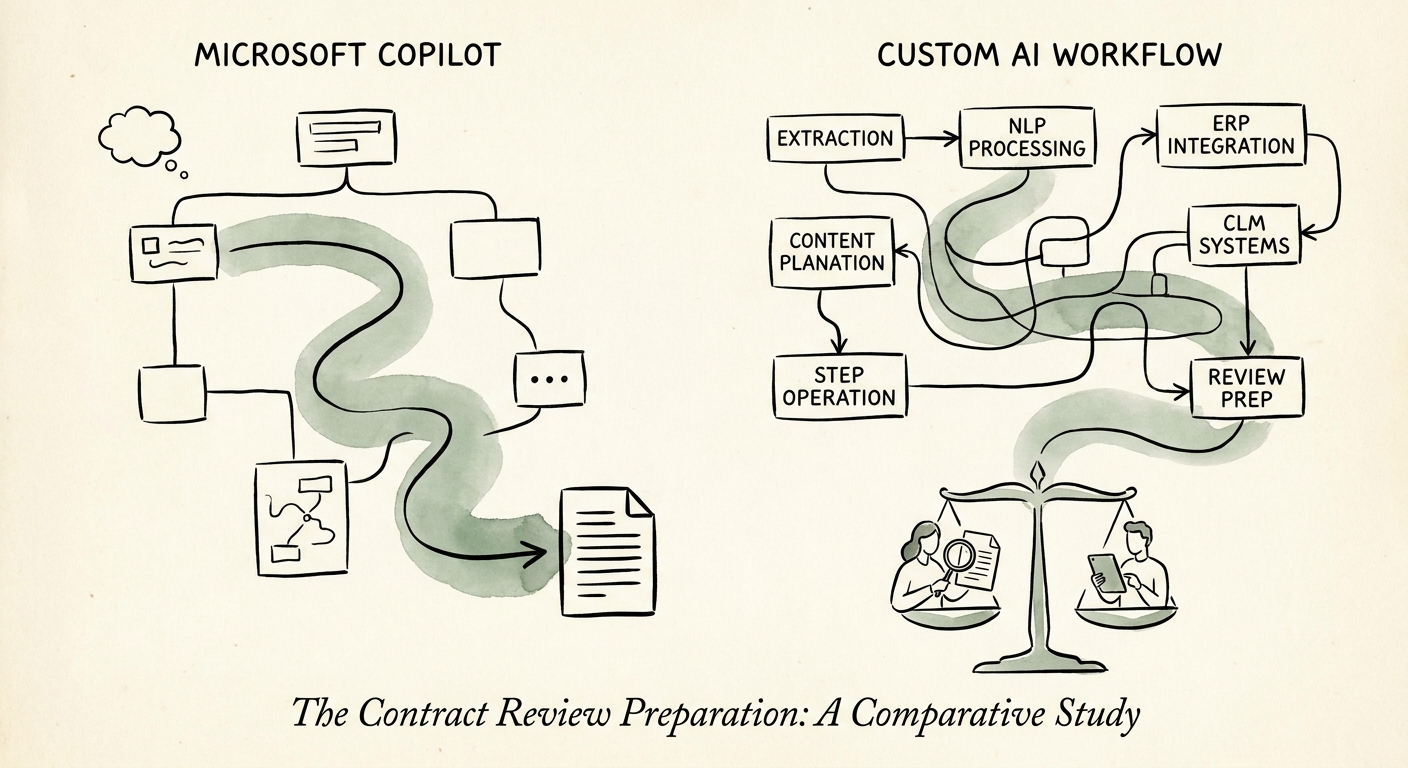
Run the test on one contract type first
Don't decide this in the abstract. Pick your highest-volume contract — usually inbound vendor agreements or standard customer order forms — and run both approaches against the same stack of last month's deals.
Track six things, and be honest about them: how many redlines fell outside your approved positions and got caught, how many slipped through; time from intake to the right reviewer's desk; how often a deal escalated when it should have (and how often it didn't); and the reviewer correction rate — how many of the AI's "this is fine" calls a human had to overturn. The Deloitte State of AI in the Enterprise 2026 is blunt that the companies getting value moved past "the pilot felt fast" to numbers like these. If your reviewers are still reconstructing deal context from scratch on every contract, no AI surface fixes that — your source of truth does, and you fix that first.
The honest tell: if Copilot's summaries are polished but your reviewers keep saying "yeah, but is that clause one we accept?" — you have a workflow problem, not a model problem, and a custom intake workflow is the answer. If the summaries genuinely close the loop and the stakes are low, stay with Copilot and stop. Use the manual-work scoring guide to confirm contract review is worth the build at all, then the 90-day AI implementation plan to sequence clause-library cleanup, prototype, reviewer training, and rollout. Decide on reviewer throughput and risk caught — not on which tool wrote the prettier summary.