The signed contract that sat for nine days
Here is the scene that actually breaks B2B onboarding. A customer signs on a Friday. The AE updates the CRM, mostly. The deal lands in a shared inbox. The implementation manager is out until Tuesday. Nobody provisions the account, nobody kicks off the security questionnaire the customer's IT team is already asking about, and the "we'll have you live in two weeks" promise quietly starts its clock nine days late. The customer's first real experience of your product is silence.
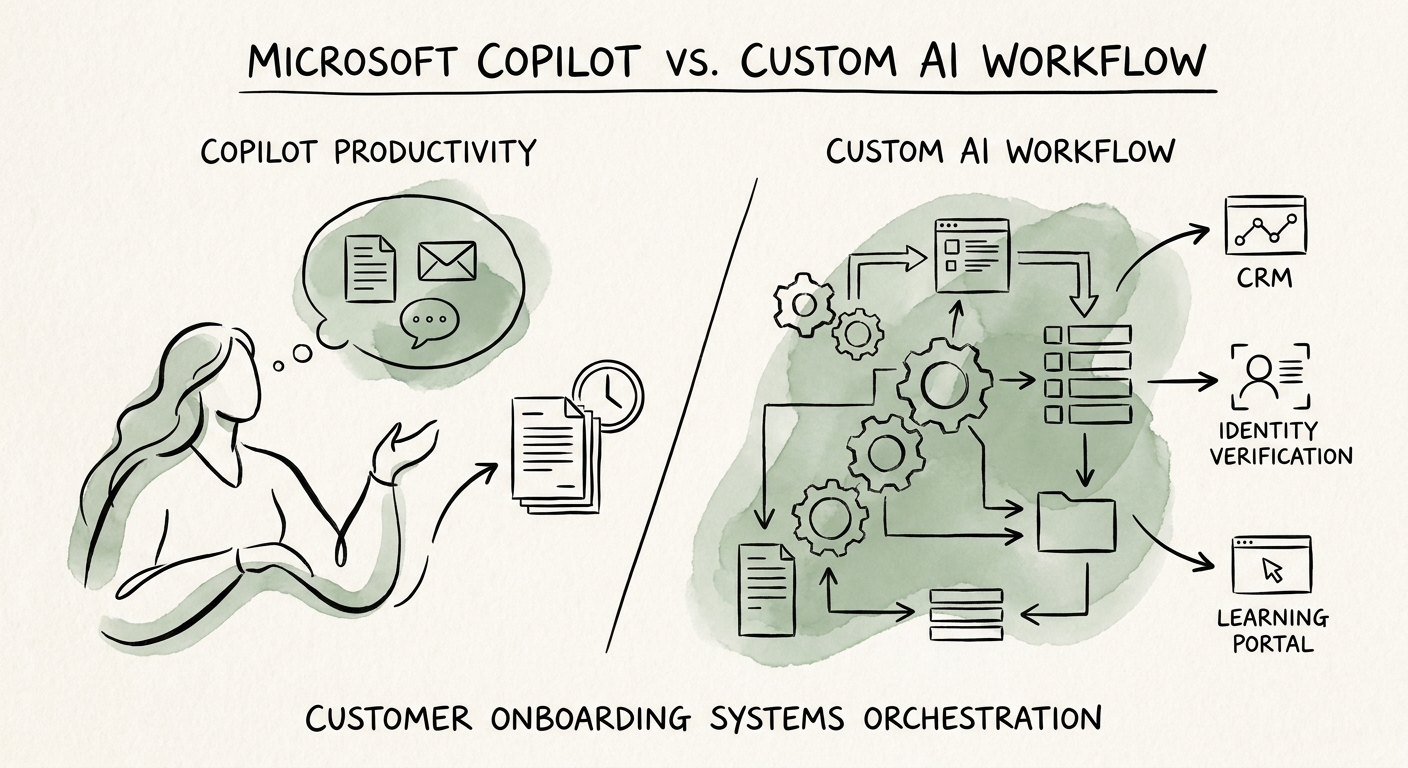
Microsoft Copilot would have helped that implementation manager when she got back. It can summarize the kickoff thread, draft the welcome email, pull the SOW from SharePoint, and build her a checklist. Those are genuinely useful — they shave time off her Tuesday. But notice what Copilot did not do over the weekend: it did not detect the closed-won event, it did not create the provisioning ticket, it did not start the entitlement clock, and it did not flag that the SLA was already slipping. The gap that lost you nine days lives between systems, and Copilot lives inside one person's workbench.
That is the whole build-vs-buy decision in one example. The question is not "is Copilot good." It clearly is. The question is whether your onboarding pain is a person being slow or a process not moving. For a B2B software handoff that crosses CRM, contracts, provisioning, project management, and a security review, it is almost always the second one — and you don't fix a process problem by speeding up a person. Research from McKinsey's State of AI work keeps landing on the same point: value shows up when AI is wired into a workflow, not when it sits beside it.
Draw the line at "who owns the next step"
The cleanest test I know: walk one onboarding path step by step and ask, at each step, who or what is responsible for the next thing happening? If the answer is "a human who is already looking at the screen," that's a Copilot job. If the answer is "the system, on its own, even at 2am on a Saturday" — that's custom orchestration, and Copilot was never built to own it.
For a typical B2B software onboarding, the split tends to fall like this:
- Copilot territory (assist a person): summarizing the kickoff call, drafting the customer status note, answering "what did we promise in the SOW," prepping the QBR deck, helping the IM organize her own week. The human stays in the loop and pulls the trigger.
- Workflow territory (the system acts): closed-won fires provisioning, license counts get written back to CRM, the security questionnaire routes to the right reviewer, an approval gate blocks go-live until legal signs the DPA, the customer-facing timeline updates when a milestone slips, and every action lands in an audit log.
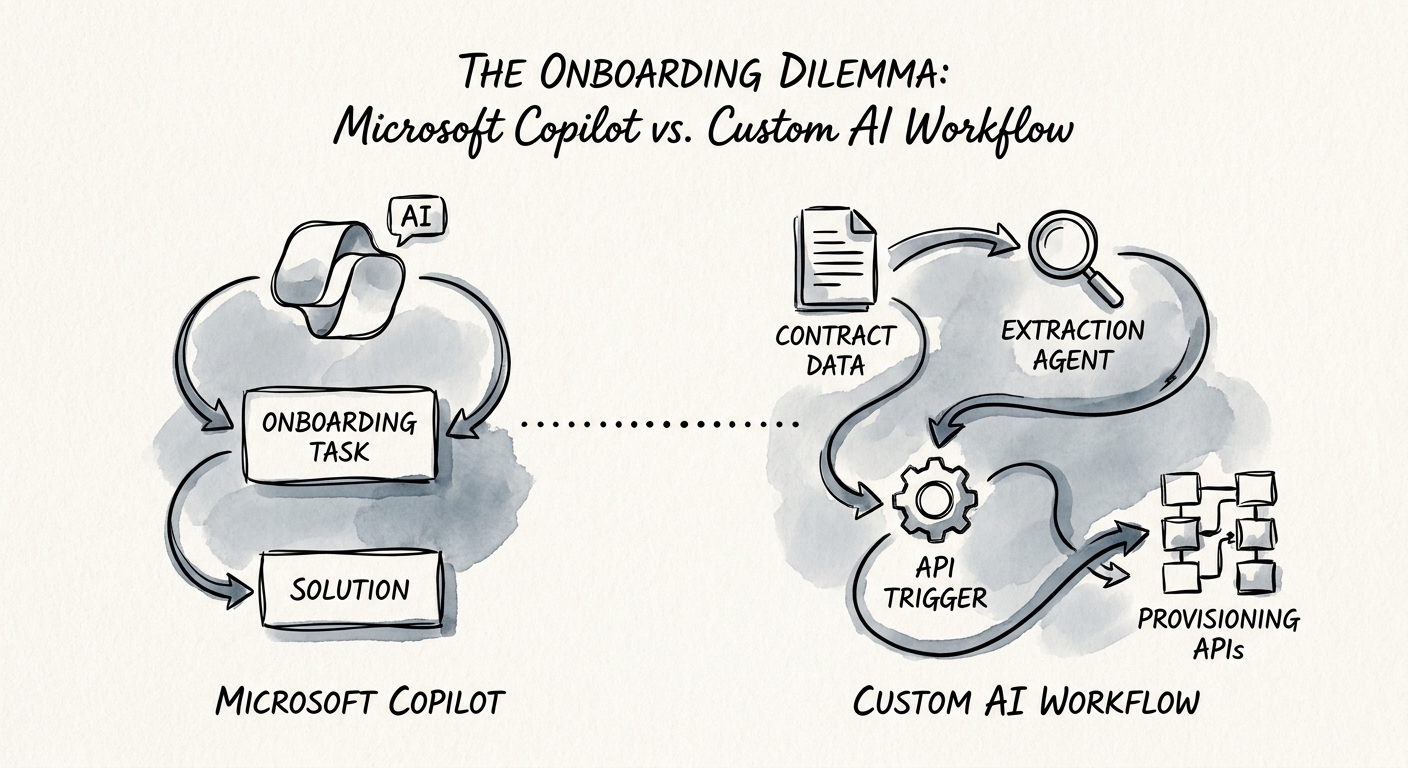
The second list still uses AI — to read the contract and extract the seat count, to classify the security questionnaire, to draft the routing — but it wraps the model in deterministic rules, real permissions, and human approval gates. That's the part teams underestimate. A custom onboarding workflow is mostly plumbing and guardrails with AI doing the judgment calls; Copilot is mostly judgment-assist with no plumbing. If you're unsure which one your problem really is, the pilot-vs-production guide walks the same line between a helpful assistant and an operating path you can trust to run unattended.
What to do Monday: map one customer, not the category
Don't start by evaluating Copilot. Start by picking your last three onboardings that went sideways and tracing exactly where they stalled. You'll find the failures cluster — usually at a handoff (sales-to-delivery), a wait (security review), or a write-back nobody owned (entitlements never synced to CRM). Now you know what kind of problem you have before you've spent a dollar.
Then, for one onboarding path, write down five things: the source systems a new customer touches, the required fields that must be correct before go-live, the approval owners for each gate, the customer-facing commitments with dates attached, and the exception rules (what happens when the security review fails, when seats exceed the contract, when the customer goes dark). Anything on that list that needs a system to act without a human watching is not a Copilot feature — and pretending otherwise is how the nine-day gap survives a tool purchase.
Most mid-market B2B teams land in the same place: Copilot for the implementation manager's desk, a governed workflow for the handoff itself. Buy the first, build the second. When you're ready to wire onboarding to actually move across systems with approvals intact, see AI Workflow Automation; if you want a quick read on whether your process is even ready to automate, run the AI Opportunity Score first.
