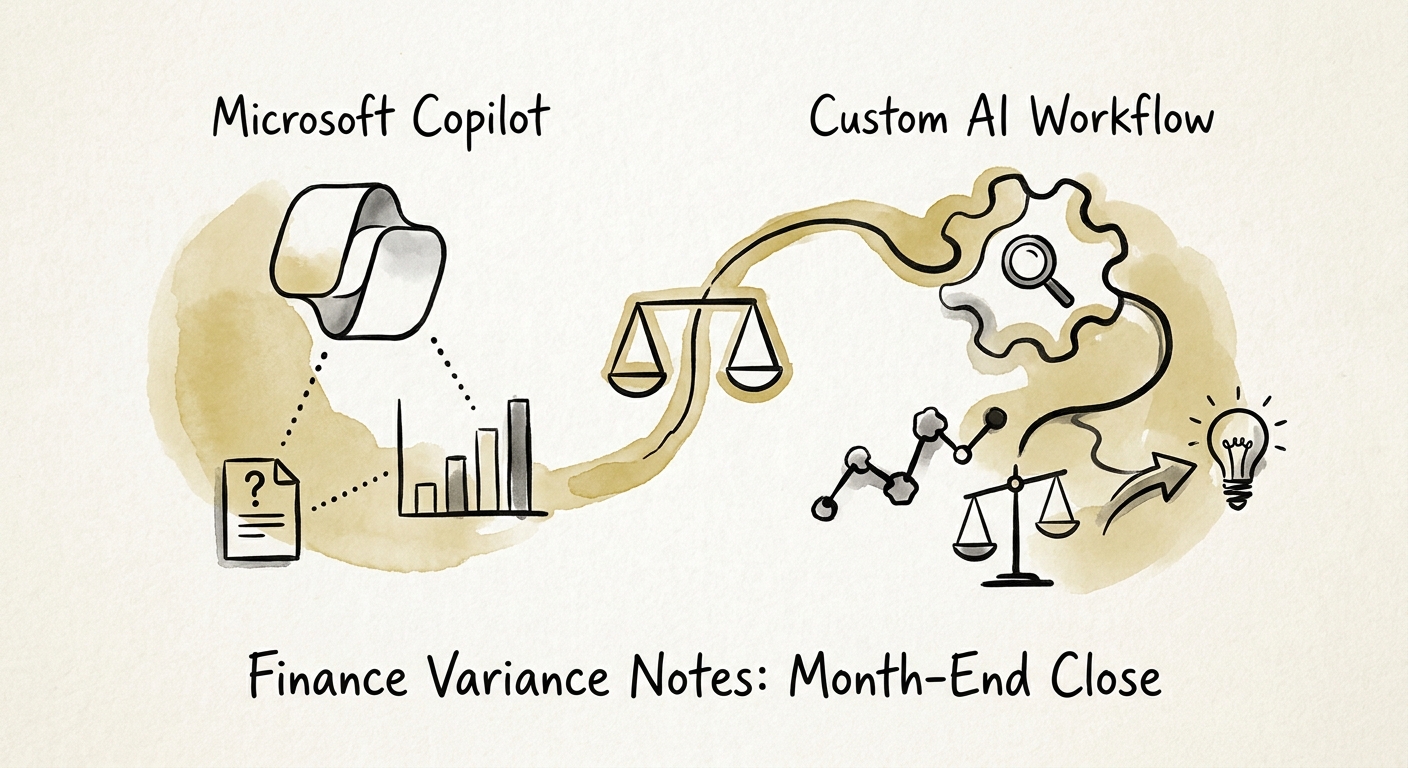
The variance note is where close actually stalls
Walk into any controller's office on day three of the close and you'll find the same bottleneck. The trial balance is locked. The numbers tie. And the FP&A lead is still staring at a forty-line variance schedule trying to write the sentence that explains why marketing came in $63K over plan and whether the board needs to hear about it. The journal entries are mechanical. The narrative is judgment, and it's the part that drags the close past its deadline every single month.
So the honest first question isn't "should we use AI" — it's "where does the variance commentary actually come from?" If your variance notes are mostly a re-synthesis of things that already live in Microsoft 365 — last month's commentary in a Word doc, the FP&A deck in PowerPoint, the close-review meeting notes in Teams — then Microsoft Copilot is operating on home turf. Microsoft's documentation on Microsoft 365 Copilot privacy and data controls spells out that Copilot inherits your existing permissions and stays inside the organizational data boundary, so a controller can ask it to draft this month's commentary in the same voice as last month's without files leaking anywhere they shouldn't.
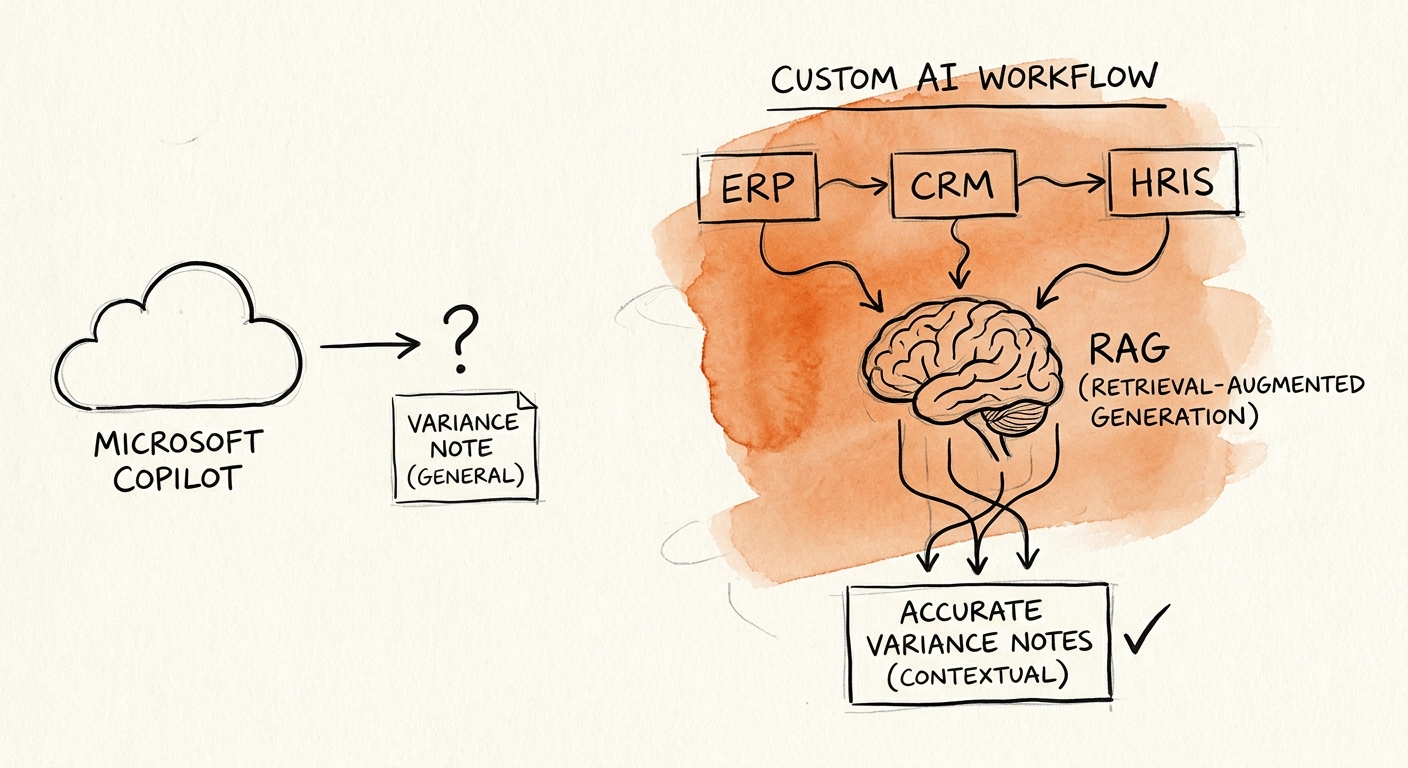
The trap is assuming the commentary lives in M365 when the reasons behind the numbers live in the ERP. The RSM middle-market AI survey shows finance teams adopting fast, but adoption isn't fit. The moment your variance note depends on drilling into GL detail, reconciling actuals against a forecast file that lives in a separate planning system, or knowing which accruals were reversed, you've crossed out of the tenant — and out of what Copilot can reliably do.
The test: can Copilot see the GL detail behind the swing?
Here's the line that decides it. Copilot is excellent at writing about a variance once a human has already decided what the variance means. It is not built to go fetch the sub-ledger detail, confirm whether a $40K payroll swing is a real overage or a department miscoding, or flag that the $80K freight line is a legitimate spike from a rush shipment. That investigation — open the GL, trace the entries, decide what's signal and what's noise — is the actual work of variance analysis. Copilot can polish the paragraph; it can't do the forensics.
The OECD report on AI adoption by small and medium-sized enterprises makes the point that a tool only creates value when it changes the workflow, not just the typing speed. For a 60-person professional-services firm whose entire close lives in QuickBooks plus a couple of Excel forecast tabs, Copilot drafting the commentary off exported reports may genuinely be enough — you don't build software for that. But picture a $40M distributor running NetSuite, a separate FP&A planning tool, and a board package that gets reused verbatim in lender covenant reporting. Now the variance note has to pull tagged actuals, match them to forecast at the right account level, route through a reviewer who signs off before any number reaches the bank, and leave a trail an auditor can follow. That's a custom workflow, and the build is justified by the audit trail, not the prose.
This is exactly the boundary the NIST AI Risk Management Framework is built to surface: map the context, define who's accountable for each step, and decide where a control has to be enforced by the system rather than trusted to a tired analyst at 9pm on day three. Variance commentary that becomes covenant language is a high-stakes context — it needs governed sources and signoff baked in, not a prompt.
What to do Monday: two columns and a deadline
Before you let anyone start a pilot, run a fast triage on your last three variance schedules. For each material line, write down two things: where the explanation actually came from (a Word doc and a meeting, or a GL drill-down and a forecast reconciliation), and who had to sign off before that language went anywhere external. If most lines fall in the first column, you're looking at a Copilot use case — turn it on, give the controller a tight prompt that references last month's commentary, and measure whether the variance section of the close moves from day three to day two. If most lines fall in the second column, you have a build, and the Deloitte State of AI report is blunt about why so many of those builds fail: the winning ones change how the work is sourced, reviewed, approved, and measured, not just how it's drafted.
Resist the build until Copilot has actually hit a wall you can name — a system boundary it can't cross, an approval state it can't track, an audit trail it can't produce. The Gartner agentic AI project forecast that over 40% of these projects get cancelled is mostly a story of teams building governed workflows for problems a configured tool already solved. The decision should follow your close controls, never the pull of a slick demo.
If you want a structured way to score the two paths against close-cycle value, source access, and audit risk before anyone writes code, work through the AI use-case scoring model and pressure-test the numbers with an AI ROI model that avoids fake savings — Copilot value shows up as faster prep, while a custom build only pays off in shorter close cycles and less rework. Then use the AI pilot versus production workflow guide to draw the line between a useful experiment and something the audit committee can rely on.
