The recap is the easy 20%
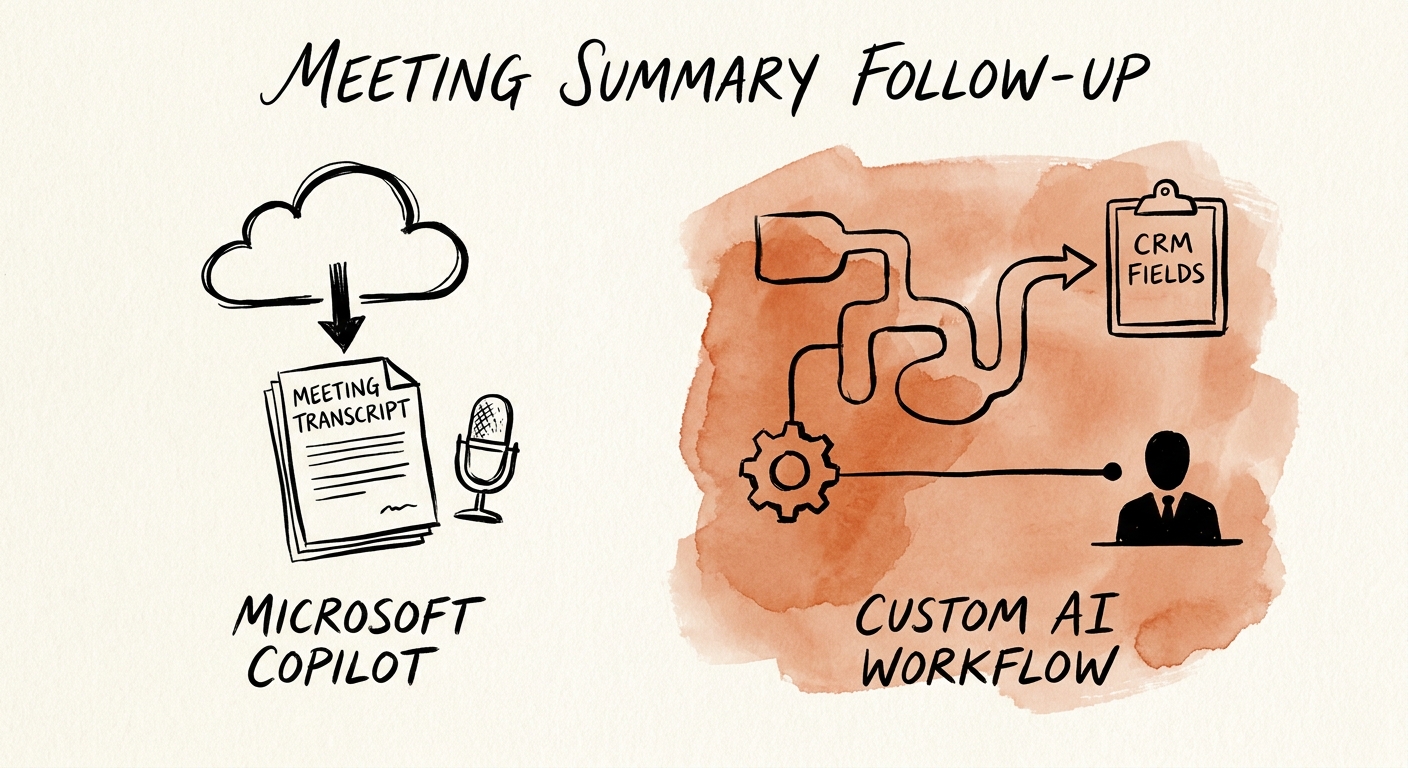
Picture the Monday pipeline review at a 60-person services firm. Forty-five minutes, eleven deals discussed, and by the end there are eight things someone said they'd do: update three opportunity stages in the CRM, send a revised SOW, loop in the implementation lead on a go-live date, flag a renewal at risk. Microsoft Copilot will produce a clean, accurate summary of that meeting in seconds, with the action items neatly bulleted. That part genuinely works.
Then the meeting ends. The summary lands in a Teams chat or an email. And here is where the question that actually matters shows up: who moves those eight items into the CRM, assigns owners, sets due dates, and checks next Monday that they happened? A recap is the easy 20% of follow-up. The orchestration — the part where work gets routed, tracked, and chased — is the 80% that determines whether the meeting changed anything.
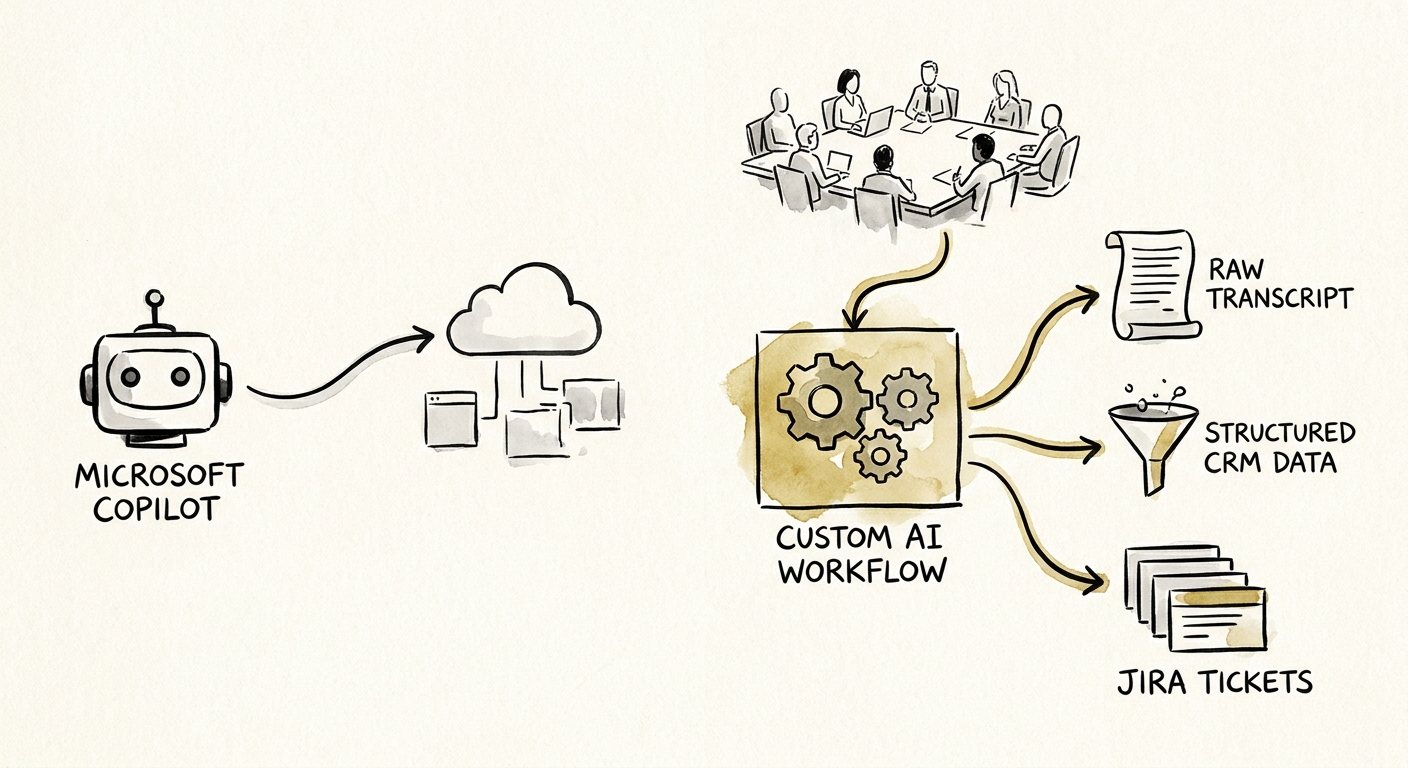
So the real decision isn't "is Copilot good?" It's whether your follow-up lives entirely inside Microsoft 365 or whether it has to land in systems Copilot doesn't own. Microsoft's documentation on Microsoft 365 Copilot privacy and data controls is clear about this boundary: Copilot operates within organizational permissions and the tenant's data — email, chat, meetings, documents. If your follow-up is "draft me a recap and a few emails I'll review," that boundary is exactly right. If it's "update the CRM stage and notify the renewals queue," you've already left the boundary.
Where Copilot stops and a workflow starts
Draw the line at the verb. If the follow-up work is summarize, draft, search, and prepare — and a human reviews the output before anything leaves the building — Copilot is the right tool and a custom build is overkill. The OECD report on AI adoption by small and medium-sized enterprises makes a point worth taping to the wall here: having the tool is not the same as adopting it into how work gets done. A Copilot license that produces recaps nobody acts on is shelfware with a good summary feature.
The verbs that justify a custom workflow are different: route, update, assign, escalate, log, reconcile. A custom follow-up workflow earns its keep when it needs a durable task queue, rules tied to the source ("renewal-at-risk flags go to the CSM, not the AE"), review states, exception handling for the deal that doesn't fit the rule, and writes into systems outside the tenant — CRM stages, ticket routing, an ERP date. That's not a Copilot prompt; that's a system with an owner.
The RSM middle-market AI survey shows mid-market leaders pushing adoption hard, but enthusiasm doesn't pick the architecture for you — the workflow does. And once you're writing into systems of record, you've crossed into territory the NIST AI Risk Management Framework exists to govern: map who's accountable when the AI updates a CRM stage wrong, measure the error rate, define the control that catches it. A recap that's slightly off costs a re-read. An action item that auto-changes a deal stage incorrectly costs a forecast.
The two-path test before you approve anything
Run both paths through one honest test. For Copilot, the value shows up as preparation: cleaner recaps, faster drafts, less time hunting for what was decided. Measure it as minutes saved per attendee per meeting — modest, real, and immediate. For a custom follow-up workflow, the value has to show up in the work itself: fewer dropped action items, shorter cycle time from "said in the meeting" to "done in the system," fewer handoff misses on at-risk renewals. If you can't name that number, you don't have a custom-build case yet — you have a demo that impressed you. Put both through an AI ROI model that avoids fake savings before anyone signs off.
The Deloitte State of AI report keeps landing on the same finding: value comes from changing the process, not buying the tool. And the Gartner agentic AI project forecast is the cautionary half — custom and agentic projects get canceled when cost, value, and controls were never specific. The meeting-follow-up custom build that survives production has an owner, defined data sources, review rules, exception handling, logs, and a weekly check that the action items actually closed.
So decide in this order. First, score the use case on value, data access, and system fit with the AI project use-case scoring model. If the follow-up never leaves Microsoft 365, stop — turn on Copilot, train the team to act on the recaps, and move on. If it has to touch the CRM, the ticket queue, or the renewals process, walk it through the AI pilot versus production workflow guide and build the smallest governed thing that owns the boundary Copilot can't.
