The question that decides this isn't "is Copilot good"
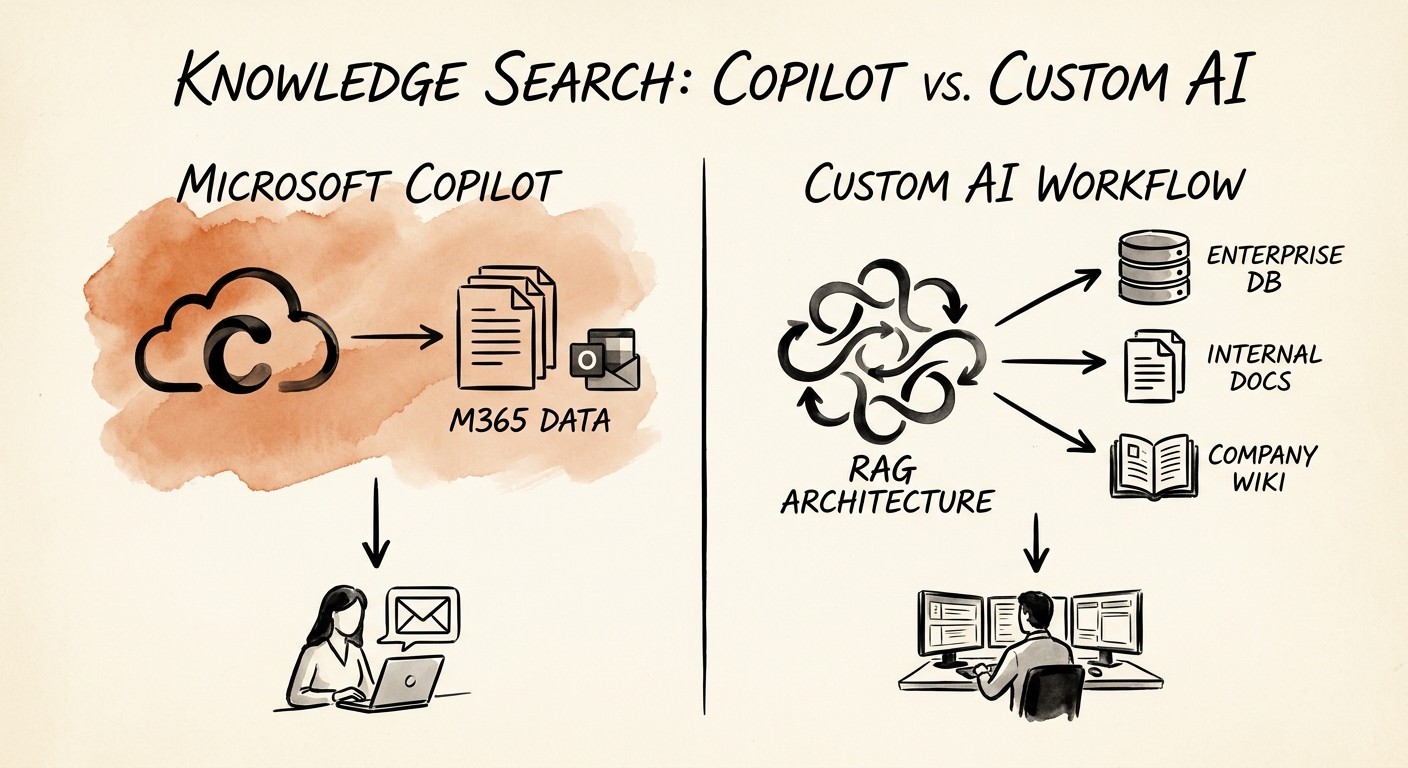
Picture a project manager at a 60-person services firm typing into a search box: "What did we promise the Henderson account on renewal pricing?" If that answer lives in an email thread, a Teams chat, a SharePoint contract, and a meeting transcript — all inside Microsoft 365 — Copilot will likely find it in seconds, respect who's allowed to see what, and hand back a clean summary. That's the job it was built for. Microsoft's documentation on Microsoft 365 Copilot privacy and data controls spells out how it leans on existing tenant permissions and stays inside the Microsoft 365 data boundary — which is exactly why it shines when the knowledge already lives there.
Now change one detail. The renewal pricing isn't in an email — it's a field in your CRM, the contract terms sit in a billing system, and the "what we promised" history lives in a ticketing tool nobody has connected to anything. Copilot can't see across that fence. This is the fork in the road, and most teams skip past it because they're busy debating whether the demo was impressive. It was. That's not the question.
The RSM middle-market AI survey shows middle-market leaders leaning hard into adoption — but adoption only pays off when the tool matches where the work actually happens. Before you pick a path, run the candidate through the AI project use-case scoring model on value, data access, system fit, risk, adoption effort, and measurement clarity. The output usually answers the build-vs-buy question for you.
Answer vs. answer-plus-action: the line that splits the two
Here's the distinction that does the heavy lifting. Copilot is built to retrieve and summarize: a person asks, a person reads, a person decides what to do next. The human is the workflow. That covers an enormous amount of useful knowledge search — drafting from past proposals, pulling the gist of a 40-message thread, finding the deck from last quarter. The OECD report on AI adoption by small and medium-sized enterprises makes a quieter point worth pinning to the wall: handing people access to a tool is not the same as the business adopting it. If the win is "individuals search faster and check the result themselves," Copilot is almost always the cheaper, faster, lower-risk answer. Buy it, train people, move on.
A custom workflow earns its cost when the search has to actually do something. Say a support lead searches "open issues for accounts up for renewal in 30 days." That answer has to span the CRM, the ticket queue, and the contract dates — then route the risky ones to an owner, log who looked, and track whether the follow-up actually closed. That's not retrieval; that's a governed process with a queue, source-specific rules, review states, and exception handling. The NIST AI Risk Management Framework gives you the frame to decide it cleanly: map the context, measure the risk, set the controls, and keep someone accountable for the output.
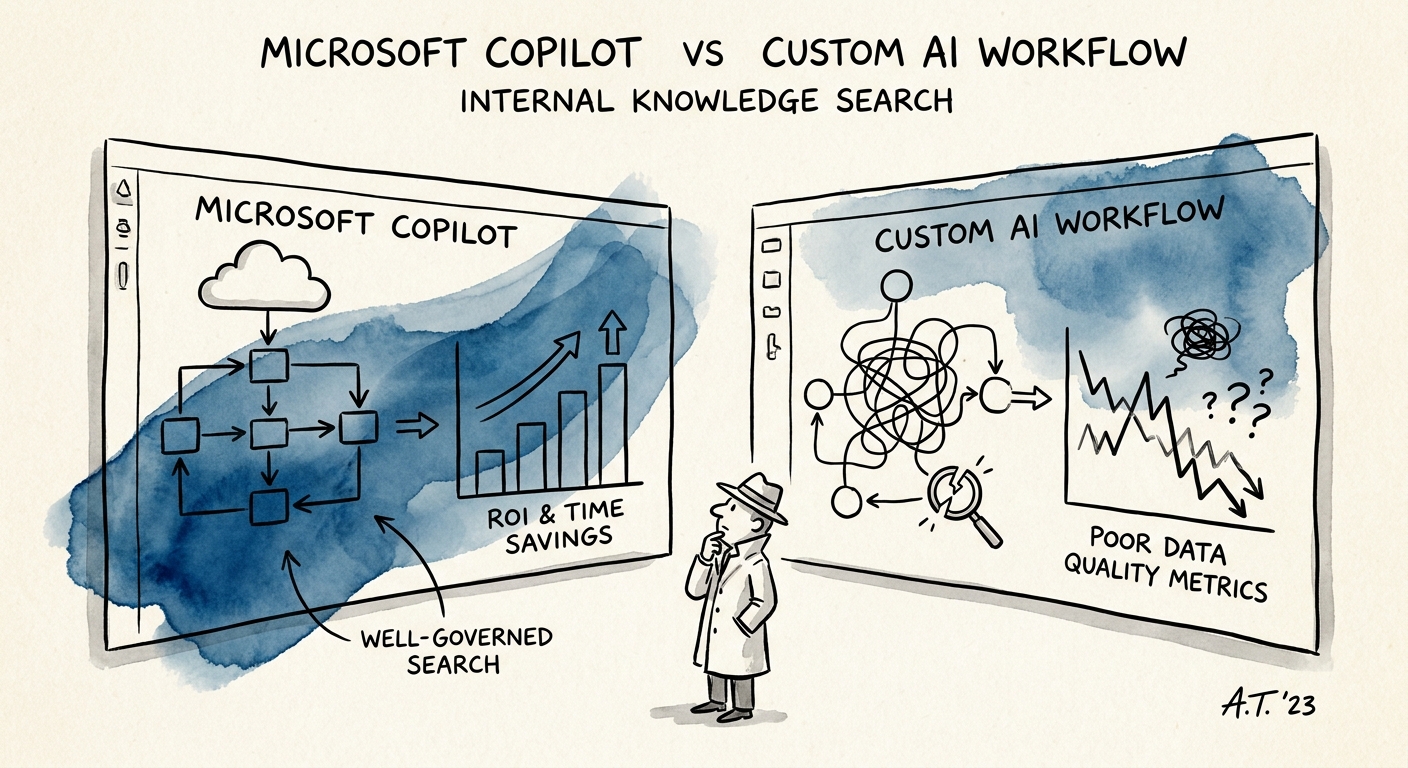
Finance should referee with an AI ROI model that avoids fake savings, because the two paths pay out differently. Copilot value shows up as faster drafting and cleaner prep — real, but diffuse. Custom-workflow value has to show up somewhere you can point to: cycle time on a process, fewer dropped handoffs, compliance with a review rule that used to get skipped. If you can't name that number, you're not ready to build yet.
Whatever you pick, it has to survive a Tuesday
Demos run on cherry-picked questions and clean data. Production runs on a Tuesday when the CRM is half-updated, two source systems disagree, and a new hire searches for something the model has never seen. The Deloitte State of AI report keeps landing on the same finding: value comes from the process change around the tool, not the tool itself. So for knowledge search, write down the boring production checklist before you commit — a named owner, the exact data sources, the review rules, what happens to a low-confidence answer, who gets trained, what gets logged, and a standing weekly look at whether it's still earning its keep.
This matters most on the custom side, because that's where the money goes to die. The Gartner agentic AI project forecast expects more than 40% of agentic AI projects to be scrapped by the end of 2027 — usually when cost, value, data quality, or controls were never nailed down. The rule that keeps you out of that bucket: don't build because the demo wowed the room. Build only when Copilot genuinely can't own the workflow boundary, and the business case has a number on it.
Your Monday move is small and concrete: take your top five real searches, and sort each one as "answer" or "answer-plus-action." If most are answers living in Microsoft 365, pilot Copilot. If most cross systems or trigger work, you're looking at a custom workflow — and the AI pilot versus production workflow guide will tell you whether to start with a lightweight automation or a fully governed build.
